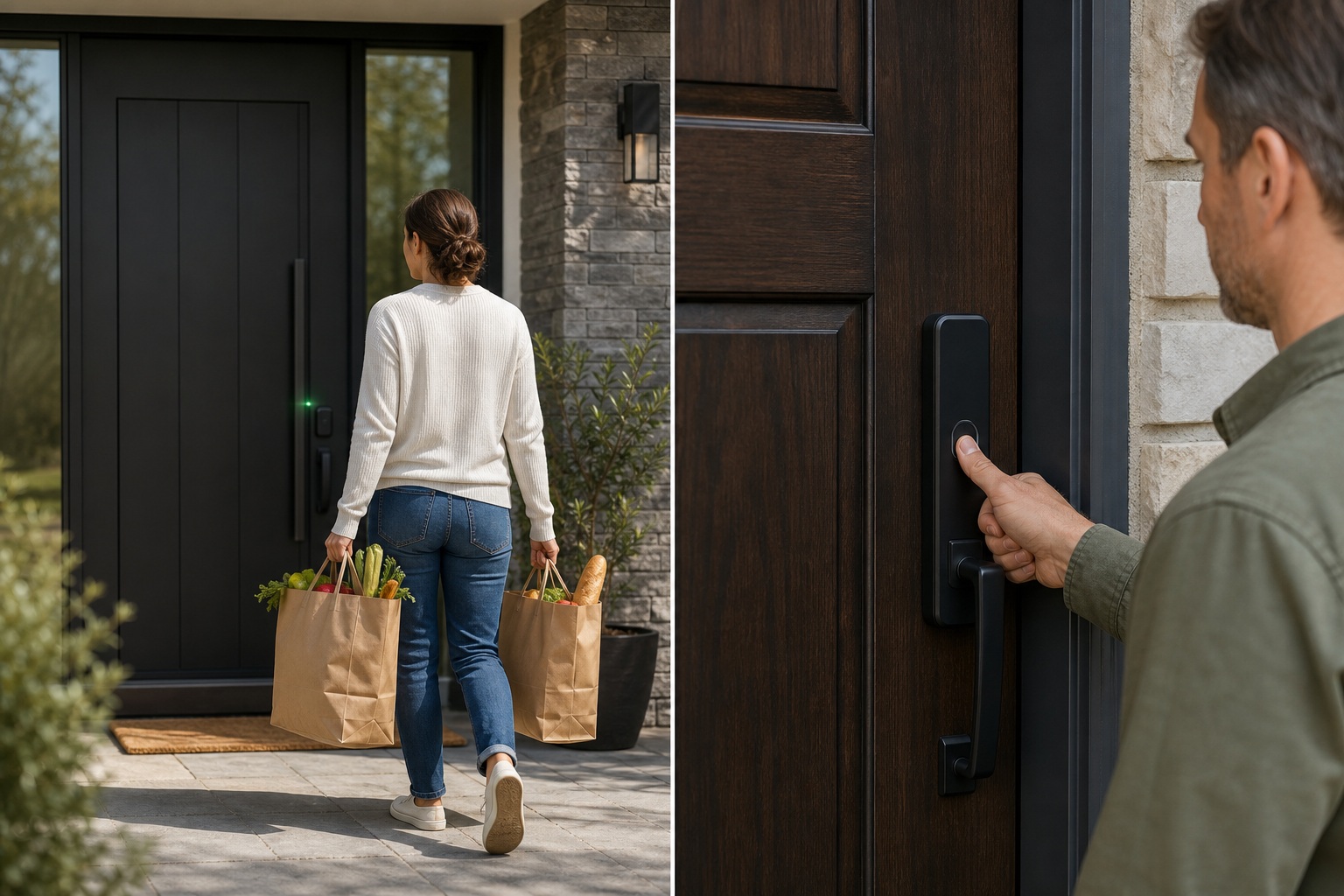
The UWB vs. fingerprint lock debate misses the point. They don’t compete. They fail in completely different ways. UWB dies when your phone does. Fingerprint fails when your hands are wet, gloved, or worn. So the real question is: which failure mode fits your household?
For most families, fingerprint is the more practical primary unlock. It costs less (starting around $80). It works for everyone: kids, guests, anyone without a smartphone. It never depends on a charged phone in your pocket.
If you regularly arrive carrying groceries or a toddler, and you own a UWB-capable phone (iPhone 11+, Samsung Galaxy S21+, recent Pixel), the hands-free proximity unlock is a genuine convenience upgrade. Just pair it with fingerprint or PIN backup.
What UWB and Fingerprint Locks Actually Do Differently
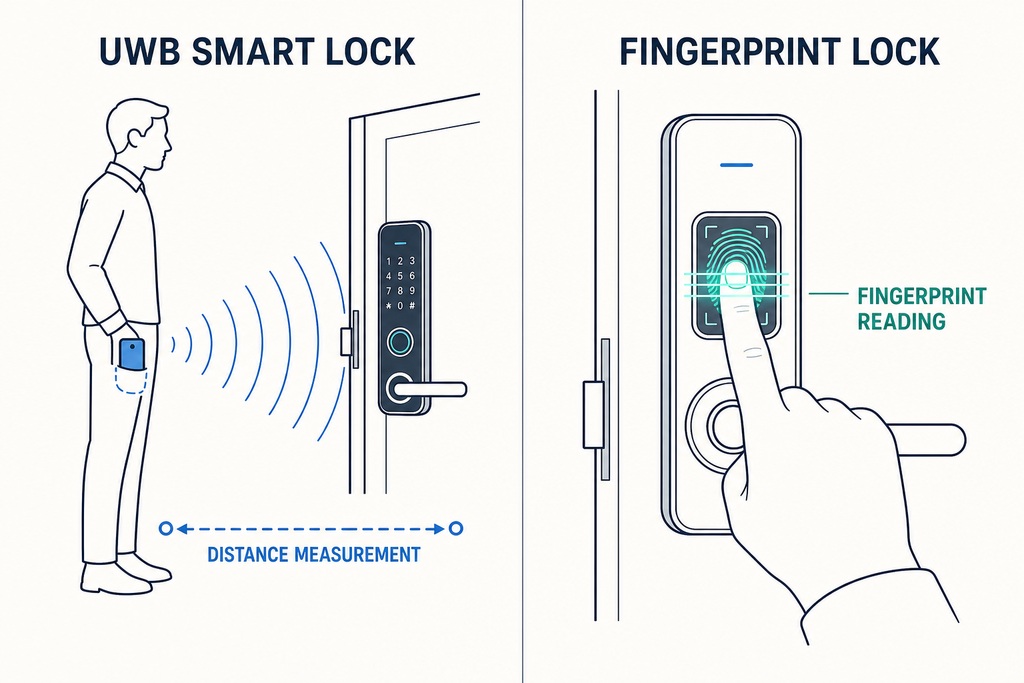
UWB locks use radio pulses to measure your phone's distance and direction as you approach. Accurate to about 5–10 cm, they unlock automatically when you're close enough. You walk up. The door opens.
Fingerprint locks read your ridges when you press a finger to the sensor. You touch. The door opens. Both unlock in roughly 0.3–1 second.
The real difference is action. UWB needs none beyond carrying your phone. Fingerprint requires a deliberate press. Neither makes your deadbolt stronger. That depends on the lock body, strike plate screws, and door frame.
Note: UWB proximity unlock is not Apple Home Key. Home Key uses NFC and requires a tap to the lock. UWB unlocks with your phone still in your pocket. Some locks offer both. Many articles blur them.
UWB Smart Lock vs. Fingerprint Lock: A Comprehensive Comparison
| Dimension | UWB Smart Lock | Fingerprint Lock | What It Means in Practice |
|---|---|---|---|
| Unlock method | Phone/fob proximity via UWB radio | Finger touch on biometric sensor | Walk up vs. touch |
| Hands-free? | Yes, phone stays in pocket | No, needs a free finger | UWB wins when carrying items |
| Phone required? | Yes | No | A dead phone means no UWB unlock |
| Typical unlock speed | 0.3–1 sec from approach | 0.3–1 sec from touch | Effectively identical |
| Works with gloves? | Yes | No (most sensors) | Major winter advantage for UWB |
| Works for children? | Only with a provisioned device or fob | Yes: enroll their fingerprint | Fingerprint wins for kid-heavy homes |
| Guest/temporary access | Send digital key via app | Enroll finger or issue PIN code | UWB easier remotely; fingerprint requires in-person |
| Smart-home integration | Usually strong | Varies widely by model | UWB locks tend to be platform-rich |
| Main failure mode | Dead phone battery | Wet, dirty, or injured fingers | Completely different failure points |
| Typical price range | $200–$500+ | $80–$300 | Fingerprint costs less at every tier |
Both technologies fail fast. The unlock itself is never the bottleneck. The bottleneck is the conditions under which each one works at all.
Security, Privacy, and Smart Locks
UWB's key security win is relay-attack resistance. It measures radio pulse travel time, not just signal strength. This stops attackers from tricking the lock by amplifying your phone's signal from a distance. UWB uses encrypted rolling keys per session, making intercepted signals useless. This is a real upgrade over Bluetooth-only proximity unlocking, which has proven vulnerable in security tests.
But relay-attack resistance isn't overall lock security. Physical deadbolt construction, firmware updates, account security (turn on multifactor authentication for your lock's app), and your fallback method matter just as much. Wirecutter's decade of testing found no real-world electronic exploitation of smart locks. Break-ins still happen through kicked-in doors, not hacked radios.
Fingerprint locks have a false acceptance rate of roughly 1 in 50,000 to 1 in 100,000, depending on sensor quality. Data stays local, stored as encrypted templates on the lock's chip. It never goes to the cloud. The critical variable is sensor type:
- Optical sensors (cheapest) can be spoofed with lifted prints or silicone molds.
- Capacitive sensors detect electrical current differences and are harder to fool.
- Ultrasonic sensors create 3D ridge maps and are the hardest to spoof.
The word "fingerprint" on the box tells you nothing. Check the spec sheet for the sensor type.
What Actually Goes Wrong in Real Life
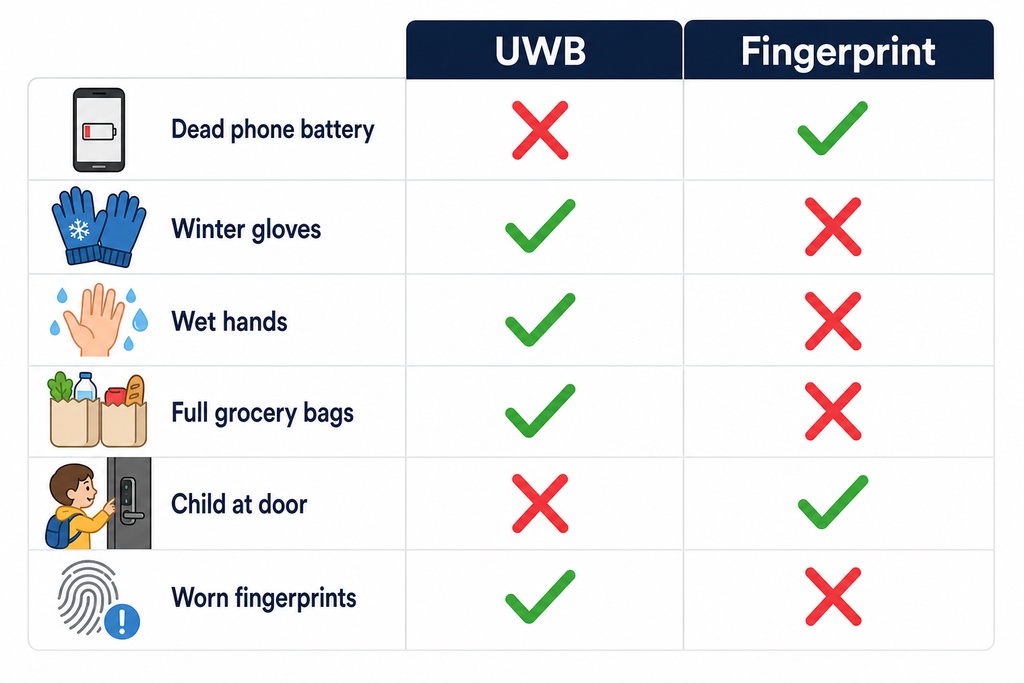
The two technologies fail in completely different situations. Your daily life, not tech specs, determines which failure mode you can tolerate.
| Failure Scenario | UWB Outcome | Fingerprint Outcome |
|---|---|---|
| Phone battery dead | No primary unlock, need backup | No effect, works without phone |
| Hands full of groceries | Unlocks automatically as you approach | Need to set something down |
| Wearing winter gloves | Works fine | Won't read through gloves |
| Wet or dirty hands | Works fine | Likely fails: retry or use another finger |
| Cut or injured finger | Works fine | Fails on that finger: use another enrolled finger |
| Elderly with worn ridges | Works fine | Rejection rate climbs sharply |
| Child needs entry | Needs a provisioned phone or fob | Works: enroll their fingerprint |
| Temporary guest | Send digital key via app | Enroll finger in person or issue PIN code |
| Wi-Fi network down | Works (UWB is local radio, not cloud-dependent) | Works (sensor is local) |
| Switching phone ecosystem | May need to re-provision all credentials | No impact: no phone dependency |
This table is the heart of the decision. Scan the left column. Find the scenarios your household hits weekly. Read across.
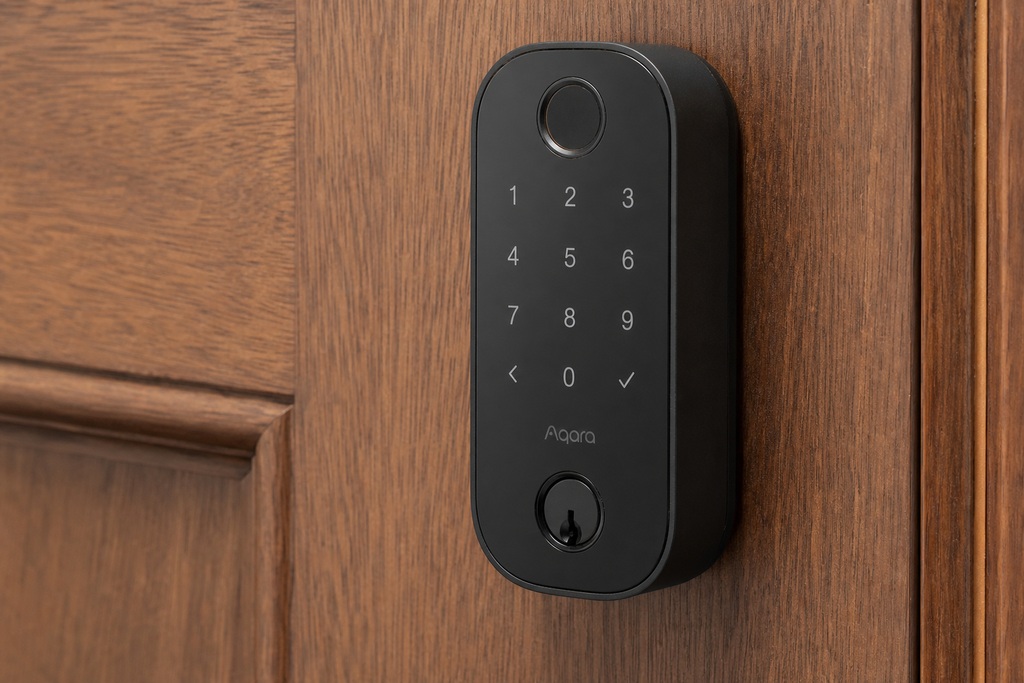
Best for Apple Home: Aqara Smart Lock U100
The Aqara Smart Lock U100 ($150) is the best value in either category. It combines a fingerprint reader, Apple Home Key support (NFC tap-to-unlock with iPhone or Apple Watch), a PIN keypad, and a physical key. That's four independent ways to get in, all for $150.
Wirecutter's testing called it "the quietest and fastest mechanism" they tried. Its fingerprint reader outperformed the Yale Keypad Touch in reliability.
It does not offer UWB proximity unlock. Home Key requires a tap to the lock, not a walk-up auto-unlock. But at this price, four unlock methods is hard to beat.
Pros:
- Four methods at $150: fingerprint + Apple Home Key + PIN + physical key
- Quietest, fastest motor mechanism in Wirecutter's tests
- Apple Home Key support (rare at this price: Schlage Encode Plus is the alternative at ~$250)
- More reliable fingerprint reader than Yale Keypad Touch
- Works with Amazon Alexa and Google Home
Cons:
- No UWB proximity unlock: Home Key requires an NFC tap
- Aqara is a newer brand with less long-term track record than Schlage or Yale
- Android smart-home integration is more limited than Apple
- No built-in Wi-Fi: needs an Aqara hub for remote access
Verdict: Best for Apple-centric households wanting biometric and smart-home features at the lowest price. Skip it if you need hands-free UWB unlock or deep Android/Google Home integration.
Budget Pick: Eufy Smart Lock C34
The Eufy Smart Lock C34 ($80) is the cheapest way to get a smart deadbolt with app control. It uses a keypad and smartphone app: no fingerprint, no NFC, no UWB. But at roughly half the price of the next tier, it answers: "Can I try this without real money?"
Pros:
- $80 entry point: lowest in the category
- Keypad plus app covers the basics
- Installs easily on standard deadbolt prep
- No ecosystem lock-in: works independently
- Good for renters who may not want a premium lock
Cons:
- No fingerprint reader: PIN or app is your only non-key option
- No Apple Home Key, no UWB, no NFC
- Build quality and motor may not match Schlage or Yale
- Fewer smart-home integrations than pricier competitors
Verdict: Best for budget-conscious households, renters, or anyone testing smart locks without big commitment. If you want fingerprint, step up to the Aqara U100: the $70 difference buys three more ways in.
Other Locks Worth Knowing
| Lock | Price | Primary Auth | Notable Features | Best For |
|---|---|---|---|---|
| Aqara U100 | $150 | Fingerprint + NFC | Apple Home Key, PIN, key, quietest mechanism | Overall value leader |
| Eufy C34 | $80 | Keypad/app | Budget-friendly, basic app control | Lowest entry price |
| Aqara U50 | ~$130 | Keypad + NFC | Same as U100 without fingerprint | Apple Home Key on a budget |
| Yale Assure Lock 2 | $170 | Keypad | Physical buttons prevent mistypes, app control | Keypad reliability |
| Schlage Encode Plus | ~$250 | Keypad + NFC | Apple Home Key, built-in Wi-Fi, ANSI Grade 1 | Premium all-in-one |
| Schlage Arrive | $199 | Wi-Fi deadbolt | Built-in Wi-Fi, Alexa and Google Home | Smart-home-first buyers |
The Yale Assure Lock 2 deserves a closer look. Its physical button keypad beats touchscreens — no mistypes in the dark or with wet fingers. The Aqara U50 is the U100 minus the fingerprint reader, making it the cheapest Apple Home Key lock. The Schlage Encode Plus has ANSI Grade 1 certification (the highest residential grade) and built-in Wi-Fi, making it the most complete option if budget is flexible.
Cost and Battery Life
| Category | UWB Smart Lock | Fingerprint Lock |
|---|---|---|
| Entry level | ~$200 | ~$80 |
| Mid-range | ~$300–$400 | ~$150–$200 |
| Premium | $500+ | $300+ |
| Hidden cost | UWB-capable phone required (flagship from 2020+) | None |
UWB locks use more power. They keep a low-power radio polling for devices. Motion sensors (PIR) help by waking the radio only when someone approaches.
Expect 6–12 months from a battery set in a UWB lock. Fingerprint locks get 6–18 months, depending on use and whether they have Wi-Fi. The range is wide for both.
Manufacturer numbers are often optimistic. Xiaomi, for example, reports a 99.3% recognition rate tested at room temperature. That may not hold up in cold, humid, or high-traffic conditions. In practice, both types need battery swaps about twice a year. The power difference is real but rarely a deciding factor.
Flaws but Not Dealbreakers
Every smart lock has trade-offs. Neither UWB nor fingerprint fixes the real weak points in most homes.
UWB adds radios, meaning more firmware to update and more points of compatibility drift. A phone or lock update can temporarily break auto-unlock.
Fingerprint locks are simpler but less forgiving. The sensor is a single point of contact. Get it scratched, fogged by condensation, or grimy from use, and you're back to your PIN.
Neither technology addresses the security flaws that actually matter in break-ins. A weak door frame, glass panels by the thumb turn, or short strike plate screws will defeat any smart lock.
Upgrading to 3-inch strike plate screws driven into the framing studs costs under $5. It does more for forced-entry resistance than any biometric or radio tech.
Ecosystem and Standards
Smart-home integration works on three layers:
- Platform support: Most deadbolts work with Amazon Alexa or Google Home. Apple Home Key is on select locks (Aqara U100, Schlage Encode Plus), but support is still limited.
- Emerging standards: Matter compatibility is growing but not yet universal. The FiRa Consortium governs UWB specs. The Aliro standard (backed by Apple, Google, Samsung) aims for interoperable UWB access across ecosystems, but it's early.
- Maturity: Fingerprint is standalone. It works out of the box with no app, no hub, no internet. Wi-Fi dies at 3 AM? You still touch and enter. UWB depends on a recent flagship phone with a UWB chip and remains rare in residential locks. Most smart locks use Bluetooth or NFC, not UWB.
The Hybrid Answer
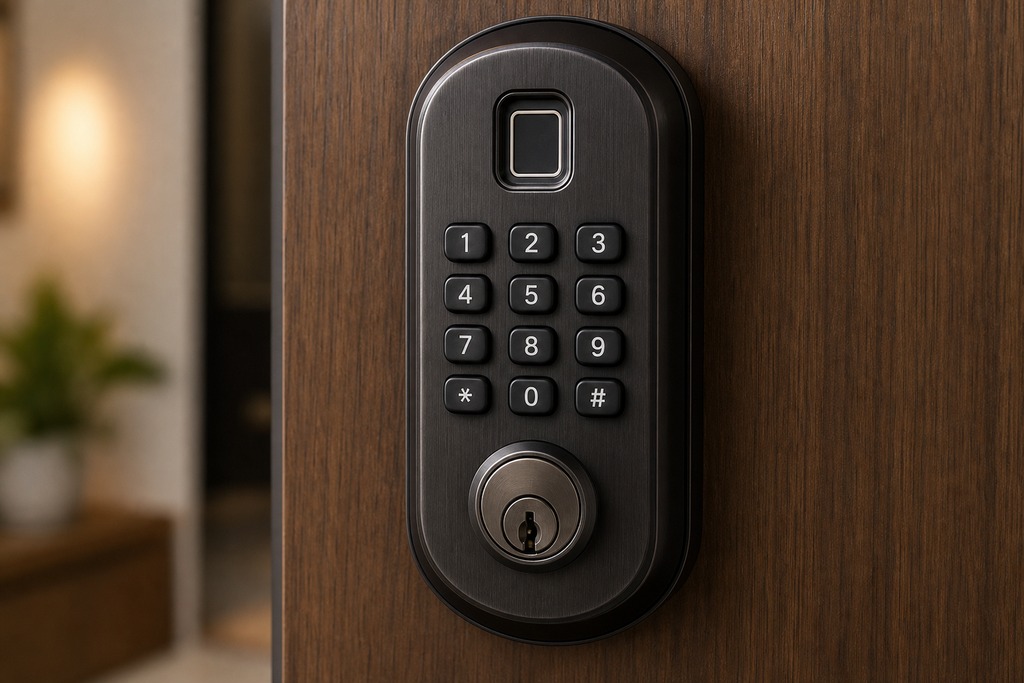
The best lock might do both — and increasingly, they do. Many now combine fingerprint, PIN keypad, phone unlock (Bluetooth, NFC, or UWB), and a physical key in one unit.
This eliminates single-point failures. A dead phone battery doesn't lock you out if you have fingerprint enrolled. Wet fingers don't lock you out if you have a PIN.
The Aqara U100 ($150) and Yale Assure Lock 2 ($170) are accessible hybrid options. If your budget allows, choose a lock with at least three independent methods — biometric, PIN, and physical key. It gives your household the most resilience against the one failure that matters: the one that happens the day you really need to get in.
Who Should NOT Choose Each Type
Skip UWB as primary if:
- Nobody has a UWB-capable phone — you'll pay $200+ for a feature you can't use and fall back to PIN or key every time.
- You change phones often or switch between iOS and Android — credentials may not transfer cleanly.
- You're in a rental that only allows a deadbolt adapter (replacing the thumb turn) — few adapters support UWB yet.
Skip fingerprint as primary if:
- Multiple members have chronic skin conditions, very young children with thin ridges, or elderly with worn prints — sensor rejection becomes a daily frustration.
- A member works manual labor with chronically damaged or calloused skin on all fingers.
- You need easy remote guest access — you can't email a fingerprint. PINs and digital keys are simpler for cleaners, dog walkers, or short-term guests.
Skip both and use a keypad-only lock if:
- Your household includes people who won't use an app or remember which finger to enroll. A physical-button keypad like the Yale Assure Lock 2 is the most universally accessible option.
- You want the simplest setup with the fewest things that can break.
How to Decide
- Does anyone have a UWB-capable phone? If no, UWB as primary is off the table. Choose fingerprint or keypad.
- Do you often arrive with full hands? If yes, and step 1 is satisfied, UWB primary with fingerprint or PIN backup is worth the premium.
- Are there members without smartphones or with unreliable fingerprints? If yes, fingerprint or keypad should be primary with PIN backup for those users.
- What's your budget? Under $150, fingerprint locks offer the best value. $150–$200 gets strong hybrids like the Aqara U100 or Yale Assure Lock 2. Above $200 opens UWB locks, but the convenience gain over a good hybrid is narrow.
- Do you care about smart-home integration? Check Apple Home Key, Matter, and platform compatibility before the unlock method. Integration gaps are often bigger practical dealbreakers than fingerprint vs. UWB.
Everything We Recommend
If you want one lock and you're done: Aqara Smart Lock U100 ($150). Fingerprint, Apple Home Key, PIN, and physical key. Four methods, quietest mechanism tested, best value.
If you want the lowest entry point: Eufy Smart Lock C34 ($80). No fingerprint, but functional keypad and app at half the price of the next tier.
If you want a proven keypad with physical buttons: Yale Assure Lock 2 ($170). Physical buttons prevent mistypes better than any touchscreen — a small detail you'll appreciate nightly.
If you want Apple Home Key without fingerprint: Aqara U50 (~$130). Same platform as the U100 minus the biometric reader.
If you want built-in Wi-Fi and Apple Home Key with ANSI Grade 1: Schlage Encode Plus (~$250). The most established brand with the highest residential lock rating.
None of these makes your door meaningfully harder to kick in. Pair any with 3-inch strike plate screws into the door frame studs. That $5 upgrade does more for your security than any credential tech.
FAQ
What are the disadvantages of fingerprint door locks?
Fingerprint locks fail with wet, dirty, cut, or gloved hands. The sensor can't read through moisture, grime, or fabric. Elderly residents with worn ridges and young children with thin ridges get higher rejection rates. Cheaper optical sensors might be spoofed with lifted prints or silicone molds, though capacitive and ultrasonic sensors are much harder to fool. You also can't share a fingerprint remotely like a PIN or digital key — enrollment requires physical presence at the lock.
What is a UWB smart lock?
A UWB smart lock uses Ultra-Wideband radio to measure your phone's exact distance and direction as you approach. It unlocks automatically when you're within about 1–3 meters. Unlike Bluetooth proximity unlocking, which guesses distance from signal strength, UWB uses time-of-flight measurement accurate to 5–10 cm. This makes it resistant to relay attacks where someone amplifies your signal from afar. UWB locks need a compatible phone with a UWB chip, like an iPhone 11+, recent Samsung Galaxy, or recent Google Pixel.
What locks do locksmiths recommend?
Locksmiths generally prioritize ANSI/BHMA grade ratings and physical build over smart features. An ANSI Grade 1 deadbolt with 3-inch strike plate screws into the door frame studs provides more forced-entry resistance than any credential tech. Among smart locks, Wirecutter's testing since 2015, thousands of hours, has consistently recommended Schlage and Yale for build quality. The Aqara U100 has emerged as a top value pick for adding biometric and smart-home features at a lower cost.
Is it what is the best smart lock with fingerprint access?
The Aqara Smart Lock U100 ($150) is the strongest fingerprint-equipped smart lock. It combines a reliable fingerprint reader (outperforming Yale's Keypad Touch in testing), Apple Home Key, a PIN keypad, and a physical key. Wirecutter called it "the quietest and fastest mechanism" tested. If you don't need Apple Home Key, the Aqara U50 (~$130) is the same platform without fingerprint. Budget buyers can start with the Eufy C34 ($80) for keypad-only smart access.