You've got a drawer of Zigbee and Z-Wave gear, and every "best hub" list points you somewhere different. Here's the honest answer: the right local smart home hub is the cheapest one that natively speaks the wireless protocols your devices already use: and runs your automations without ever calling the internet. There's no single winner in a local smart home hub comparison, because your existing gear decides for you, not a brand's marketing.
For most people who want a turnkey box that works fully offline with Zigbee and Z-Wave devices, that's the Hubitat Elevation. If you want to connect nearly every product ever made, it's Home Assistant. An all-Apple home already owns its hub in any recent Apple TV or HomePod. And two crowd favorites (SmartThings, plus parts of the Homey and Aqara experience) only count as "local" with caveats worth understanding before you spend anything.
What Local Actually Means (It's a Spectrum)
Local isn't a badge a hub either has or doesn't: it's a spectrum. A hub that runs automations on hardware in your house keeps working during an internet outage. A "local-capable" hub that still phones home for some routines does not.
What is a local smart home hub? A hub that processes device commands and automations on hardware inside your home instead of routing them through a company's cloud servers. The payoff is faster response (no round-trip to a data center), stronger privacy, and continued operation when your broadband drops.
Three platforms run their automations fully offline: Home Assistant, Hubitat, and Apple Home. Unplug the router and your lights-on-motion rule still fires. SmartThings sits in the middle: its Edge drivers run supported routines on the hub, but plenty of integrations and cloud-linked devices go dark without internet. Homey Pro and the Aqara M3 run most logic locally, yet still reach the cloud for certain app integrations and remote features. If 100% offline operation is a hard requirement, that distinction eliminates SmartThings outright and changes how you'd configure the other two.
Advantages of a Local Smart Home Hub
The resilience story runs deeper than a dropped broadband line. Because the logic lives on hardware you own, a fully-local hub also shrugs off the manufacturer's own outages: when a company's data center has a bad day, or retires a product line and switches off the servers behind it, your rules keep firing. That's the difference between a hub deprecation stranding your automations and one that merely stops delivering new features. It's also why an update pledge like Homey's through 2031 carries weight: on a local platform, a vendor can't quietly throttle, alter, or paywall a rule that's already running in your house.
Disadvantages of a Local Smart Home Hub
Ownership cuts both ways. With no cloud provider standing behind the system, you are the support desk: when a rule misbehaves or an update breaks something, the fix comes from documentation and community forums, not a help line. The other cost is timing. A just-released device can outrun the platform, sitting unusable until the maker or the community writes a local driver or integration for it: the flip side of avoiding vendor lock-in is that nobody's contractually obliged to support your newest purchase quickly.
The Radio Match That Decides Your Hub
The single factor that determines your hub isn't brand or price: it's which wireless protocols your existing devices already speak. Buy the hub to fit the devices, not the other way around.
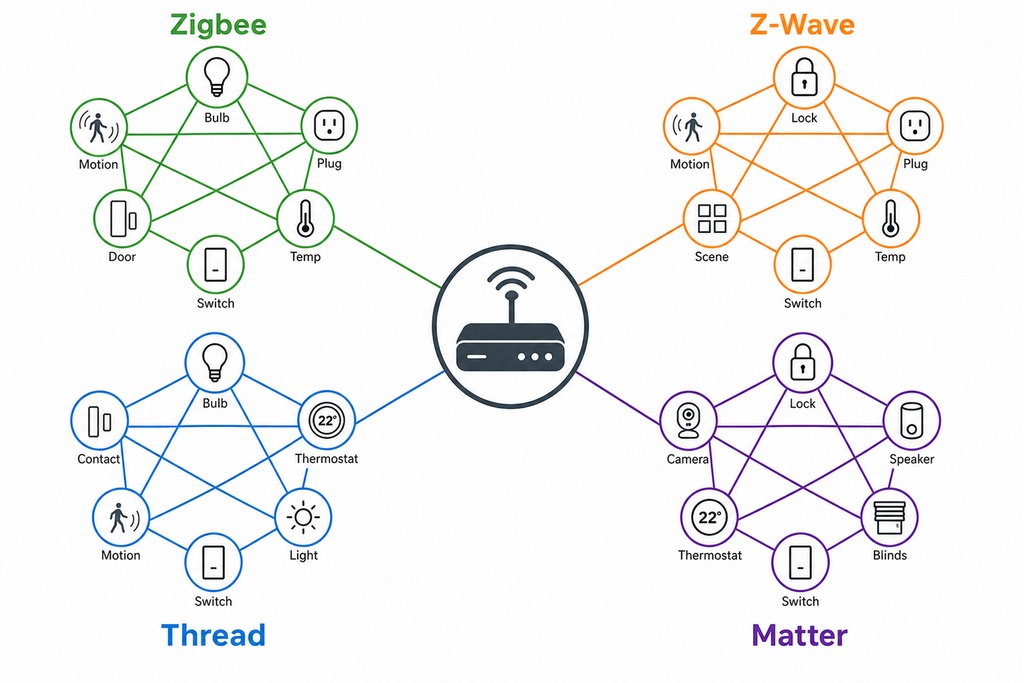
Zigbee, Z-Wave, Thread, Wi-Fi, and Bluetooth are different radio languages. A hub can only control a device if it speaks that language natively, accepts a USB dongle for it, or reaches it through a separate bridge. Two facts trip up buyers. First, Apple Home and the newer SmartThings hardware, the Station and the Aeotec Smart Home Hub 2, skip Z-Wave entirely, so owning a Z-Wave lock rules them both out without a bridge. Second, Home Assistant Green and any DIY build ship with no built-in Zigbee, Z-Wave, or Thread radio at all; the sticker price buys a computer, and you supply the radios.
Zigbee and Z-Wave are the established mesh protocols with the largest installed device base. Thread and Matter are the newer standard, built to let devices from different brands work together. A hub can be excellent at one pair and absent on the other: which is exactly why you inventory your devices first, then shop.
Hubs Compared at a Glance
Here is every option side by side, with each radio marked as built-in, dongle-required, or bridge-only. Prices shift by region, model, and sale, so treat them as approximate ranges rather than quotes.
| Hub | Approx. price | Zigbee | Z-Wave | Thread/Matter | Fully offline? | Setup | Best for |
|---|---|---|---|---|---|---|---|
| Home Assistant (Green / Yellow / DIY) | $99–$159 (Green) | Dongle (Green/DIY); built-in (Yellow) | Dongle (~$30) | Dongle (Green/DIY); Thread built-in (Yellow) | Yes | Hard | Integrating nearly everything |
| Hubitat Elevation (C-8 / C-8 Pro) | $150–$200 | Built-in | Built-in (800-series) | Maturing / beta | Yes | Moderate | Turnkey full-local Zigbee + Z-Wave |
| Homey Pro | $399–$449 | Built-in | Built-in | Built-in | Mostly (some cloud) | Easy | Every protocol in one box |
| Apple Home (HomePod / Apple TV) | $99–$149 | No | No | Built-in | Yes (local control) | Very easy | All-Apple, privacy-first |
| SmartThings (Aeotec Hub / Station) | $60–$130 | Built-in | Older hubs only | Built-in | Partial (cloud-assisted) | Easy | Existing Samsung homes |
| Aqara Hub M3 | $120–$130 | Built-in | No | Built-in | Mostly (Aqara/Matter local) | Easy | Aqara sensors + Matter bridging |
Home Assistant (Green, Yellow, DIY)
Home Assistant is the pick when you want to connect nearly everything: and the one that asks the most of you in return. It's open-source software from Nabu Casa with the largest integration library in the category (roughly 2,000 to 2,800+ integrations, depending on how you count community add-ons), and it runs fully local by default.
The hardware question is where cost hides. The Green (~$99–$159) pairs a 1.8 GHz quad-core chip, 4 GB RAM, 32 GB eMMC storage, and Gigabit Ethernet, but has no built-in radio. To control Zigbee or Thread you add a Home Assistant Connect ZBT-1 dongle; Z-Wave needs a separate ~$30 USB stick. The Home Assistant Yellow is built around a Raspberry Pi Compute Module 4, includes a multiprotocol Silicon Labs Zigbee/Thread radio, adds an M.2 SSD slot, and still wants a dongle for Z-Wave. The same software also runs free on a Raspberry Pi, mini-PC, or NUC.
Pros
- Largest integration reach of any hub: 2,000+ integrations, no vendor lock-in
- Automations, dashboards, and energy tracking all run offline
- No mandatory subscription; the software is free
- Can expose devices to Apple Home, Google Home, Alexa, or Matter
- Strong support for ESPHome and DIY hardware
Cons
- Steepest learning curve; needs ongoing updates and maintenance
- No built-in radios on Green or DIY builds: dongles raise the real price
- Easy remote access and voice generally rely on Home Assistant Cloud (~$6.50/month)
- A poorly built third-party integration can still depend on its maker's cloud
Choose it if: you want the most capable, vendor-neutral platform and don't mind learning it.
Hubitat Elevation (C-8, C-8 Pro)
Hubitat is the turnkey full-local hub: the answer for most people who want Zigbee and Z-Wave working offline without assembling anything. Automations run on the box through the Rule Machine engine and keep firing straight through an internet outage.
The C-8 and C-8 Pro (~$150–$200) pair a quad-core Cortex-A53 with 2 GB RAM and 8 GB flash. Unlike Home Assistant Green, they put Zigbee 3.0 and Z-Wave (800-series in the Pro) radios inside the box, with external antennas for better range. Roughly 150 native device drivers cover common gear, and the community Hub Package Manager adds thousands more. The catch: Thread and Matter support is still maturing, described as beta, so verify it can commission your specific Matter-over-Thread devices before you rely on it.
Pros
- Zigbee 3.0 and Z-Wave 800-series built in, with external antennas
- Fully local, private, and stable: genuinely set-and-forget
- Rule Machine handles complex conditional logic
- No required subscription (optional Hub Protect adds cloud backups)
Cons
- Dated interface; smaller community than Home Assistant
- Thread/Matter support still maturing: verify before buying
- Advanced rules have a learning curve
Choose it if: you mostly own Zigbee and Z-Wave devices and want dependable offline control without building a system from parts.
Homey Pro
Homey Pro is the every-protocol-in-one-box option, and it's only worth its ~$399–$449 if you genuinely have a mixed-protocol home. No other single appliance carries this many radios: Zigbee, Z-Wave, Thread, Matter, Bluetooth, infrared, and 433 MHz.
Inside sits a quad-core ARM chip, 4 GB RAM, and 8 GB storage. Automations build in the visual Advanced Flow editor and run locally, with the app store listing 50,000+ supported devices. Two footnotes matter: wired Ethernet needs a separate $29 adapter, and 433 MHz transmission is disabled by regulation in the US, Canada, and South Korea, which blunts the IR/433 pitch there. Athom has committed to software updates through at least June 2031.
Pros
- The widest built-in radio set of any hub, including IR and 433 MHz
- Polished app and Advanced Flow visual automation editor
- Local processing, local backups, and remote access with no recurring fee
- Update commitment through at least 2031
Cons
- The most expensive option here by a wide margin
- Ethernet costs an extra $29; 433 MHz disabled in US/Canada/South Korea
- Less open than Home Assistant; some app integrations still touch the cloud
Choose it if: you have older 433 MHz or IR gear alongside Zigbee, Z-Wave, and Thread and want it all in one polished box.
Apple Home (HomePod, Apple TV)
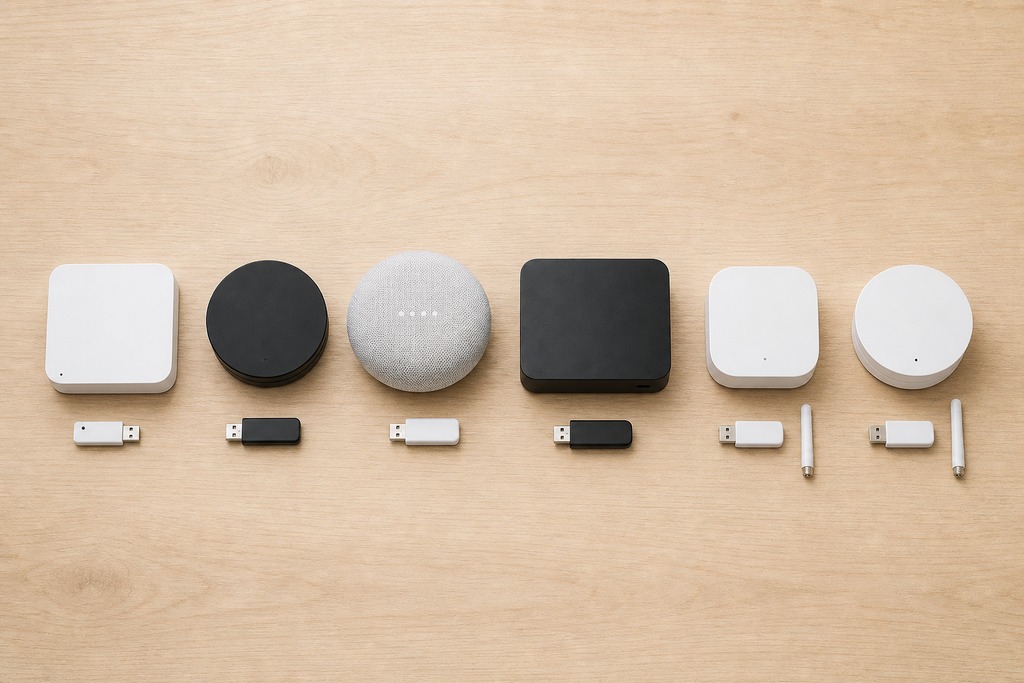
If your home is already all-Apple, you may not need to buy a hub at all: any HomePod mini ($99), full HomePod, or Apple TV 4K acts as a local HomeKit hub and Thread border router. Automations for HomeKit and Matter devices run locally and privately on that device.
The hard limit: Apple Home speaks Thread, Matter, Bluetooth, and Wi-Fi only: no Zigbee, no Z-Wave. Around 800+ brands carry "Works with Apple Home" certification, and anything Zigbee or Z-Wave needs a separate bridge, such as an Aqara hub. The automation logic is simpler than Hubitat or Home Assistant: solid for schedules and triggers, thin for layered conditional rules.
Pros
- No extra hardware if you already own a HomePod or Apple TV
- Strong privacy; local, encrypted automations
- Native Thread and Matter with a built-in Thread border router
- The simplest setup of any option here
Cons
- No Zigbee or Z-Wave: a bridge is mandatory for that gear
- Limited to HomeKit/Matter-certified accessories (~800+ brands)
- Weaker automation logic than dedicated hubs
Choose it if: you live in Apple's ecosystem, value privacy and simplicity, and own Thread, Matter, or HomeKit devices.
SmartThings (Aeotec Hub, Station)
SmartThings is best described as cloud-assisted with local capabilities: not local-first. It's the sensible pick if you're already in Samsung's world, provided you accept that an internet outage can break part of it.
The Aeotec Smart Home Hub 2 (~$119.99) supports Zigbee 3.0, Thread, Matter, Bluetooth, and Wi-Fi; the cheaper SmartThings Station runs Zigbee, Thread, and Matter. SmartThings Edge drivers let supported hub-connected devices and routines run locally, cutting latency and preserving some function offline: but many integrations and cloud-linked devices still need the internet. Neither the Station nor the current Aeotec Hub 2 does Z-Wave; that lived on the older SmartThings v3 and earlier Aeotec hubs, so check the exact model if you own Z-Wave.
Pros
- Cheapest entry point (~$60–$130 depending on model)
- Simple app and onboarding; deep Samsung integration
- Zigbee, Thread, and Matter with a Thread border router
- Edge drivers run supported routines locally
Cons
- Not fully local: many automations still depend on the cloud
- No Z-Wave on the Station or Aeotec Hub 2
- Long-term commitment doubts after past hub deprecations
Choose it if: you already use Samsung and SmartThings and want partial local processing at a low price.
Aqara Hub M3
The Aqara Hub M3 (~$120–$130) is the budget Matter-bridging pick: a Zigbee 3.0 hub that doubles as a Thread border router and Matter controller-plus-bridge, with a built-in IR blaster for older TVs and AC units. Its best behavior lives inside the Aqara app.
Its real value is translation. The M3 can expose your existing Aqara Zigbee sensors to Apple Home, Google Home, or SmartThings over Matter: which is how an Apple household finally gets inexpensive Zigbee motion sensors. Aqara device logic runs locally; step outside the Aqara ecosystem and the third-party community thins out fast.
Pros
- Zigbee, Thread, and Matter controller/bridge in a ~$120–$130 box
- Bridges Aqara Zigbee devices into Apple, Google, or Samsung via Matter
- Built-in IR blaster; local automations for Aqara gear
Cons
- Best experience is locked to the Aqara app
- No Z-Wave; small third-party community
- Some features still lean on Aqara's cloud
Choose it if: you own Aqara sensors and want an affordable bridge into a Matter ecosystem.
Which Hub Fits Your Priority
Map your situation to a hub in one line. If two rows describe you, the higher one on protocol needs wins: radios decide before polish does.
| Your priority or situation | Recommended hub |
|---|---|
| Maximum flexibility and the most integrations | Home Assistant (Green / Yellow / DIY) |
| Reliable full-local control, no subscription | Hubitat Elevation |
| Every protocol in one polished box | Homey Pro |
| All-Apple, privacy-first | Apple Home via HomePod mini or Apple TV |
| Budget entry plus Matter bridging | Aqara Hub M3 or SmartThings Station |
| Already invested in Samsung | SmartThings / Aeotec |

Fuller-Local Alternatives Worth Knowing
Beyond the main six, three niche platforms run fully local and occasionally fit better.
- openHAB: open-source and Java-based, configured largely through text files. Strongest in Europe for KNX and EnOcean gear; runs DIY on a Raspberry Pi with USB dongles for Zigbee and Z-Wave. High learning curve.
- Flic Hub: button-driven local control for physical scene triggers; a narrow tool rather than a full hub.
- Jeedom: French open-source platform, popular across Europe, self-hosted on your own hardware.
What to Check Before You Buy
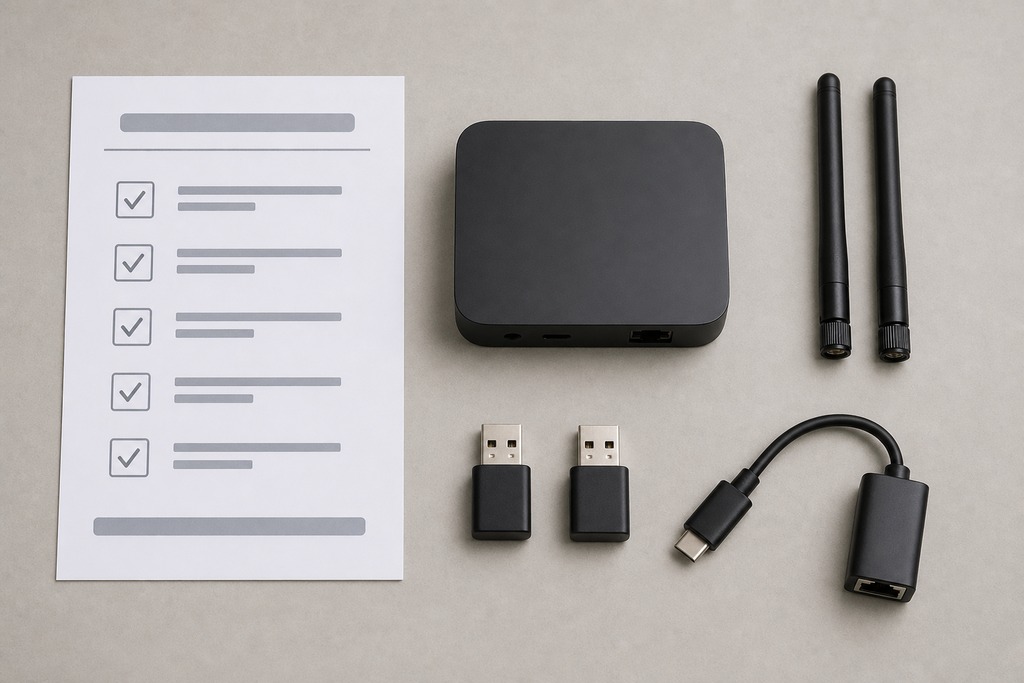
Run this five-point check before spending, in order: the first item disqualifies more hubs than the other four combined.
- Confirm native radios. List every device you own and the protocol it uses, then confirm the hub speaks each one natively or accepts a dongle for it. Z-Wave owners: rule out Apple Home and the SmartThings Station right now.
- Plan for Thread and Matter. Favor a hub that's both a Thread border router and a Matter controller: but verify it can actually commission your specific Matter-over-Thread devices, not merely claim support on the box.
- Separate truly local from local-ish. Home Assistant, Hubitat, and Apple Home run offline; SmartThings and some Homey/Aqara features do not. Decide whether a broadband outage is allowed to disable a routine.
- Check what needs a subscription. Core local control is free on Home Assistant and Hubitat, but easy remote access and voice may want Home Assistant Cloud (~$6.50/month), and Hubitat's cloud backups need Hub Protect.
- Budget the whole system, not the box. Add dongles, antennas, the $29 Homey Ethernet adapter, and any bridges. A $99 Home Assistant Green becomes $150+ once its radios are attached.
Who Should Not Buy a Local Hub
Skip a dedicated local hub entirely if you don't actually need offline operation — a standard Alexa or Google Home does cloud automations more simply and cheaply, and this whole comparison assumes you value privacy and outage resilience enough to maintain a hub.
- Own Z-Wave devices? Don't buy Apple Home, the SmartThings Station, or the Aqara M3 — none reach Z-Wave without a bridge.
- Want zero learning curve? Home Assistant and openHAB are the wrong answer; their power comes bundled with setup and maintenance.
- Need the widest integration reach? Apple Home is the wrong answer — it's limited to HomeKit and Matter accessories.
- Demand 100% offline? SmartThings fails that test, and you'll need to configure Homey and Aqara deliberately around their cloud features.
- Own no Zigbee or Z-Wave gear and only plan Thread/Matter devices? A full Zigbee/Z-Wave hub like Hubitat is overkill — Apple Home or the Aqara M3 fits the math better.
FAQ
Do local smart home hubs work without internet?
The fully local ones do. Home Assistant, Hubitat, and Apple Home run their automations on hardware in your home, so lights-on-motion rules and schedules keep firing during an outage. SmartThings only runs supported Edge routines offline; many of its integrations still need the cloud.
Can one hub support Zigbee, Z-Wave, Thread, and Matter at once?
Yes. Homey Pro carries all four (plus Bluetooth, IR, and 433 MHz) in one box, and Hubitat's C-8 Pro handles Zigbee and Z-Wave natively with maturing Thread/Matter support. Home Assistant reaches the same coverage but needs USB dongles for those radios.
Is Home Assistant free?
The software is free and open-source, with no mandatory subscription for local control. You pay for hardware (a Home Assistant Green runs roughly $99–$159, plus dongles for Zigbee, Z-Wave, or Thread) and optionally $6.50/month for Home Assistant Cloud if you want easy remote access and voice.
Does SmartThings run fully offline?
No. SmartThings is cloud-assisted: Edge drivers let supported devices and routines run locally, but many automations and cloud-linked devices stop working without internet. If 100% offline operation is a hard requirement, choose Home Assistant, Hubitat, or Apple Home instead.
Which local hub is best for Apple users?
Any recent Apple TV 4K or HomePod, which already acts as a local HomeKit hub and Thread border router. It handles Thread and Matter devices privately and offline, but supports no Zigbee or Z-Wave — pair it with an Aqara M3 bridge if you own that gear.
Do I need a subscription for a local hub?
Not for core control. Hubitat and Home Assistant run automations locally with no required fee. Subscriptions appear only for extras: Home Assistant Cloud (~$6.50/month) for remote access and voice, or Hubitat's optional Hub Protect for cloud backups.
References
- Home Assistant — Green and Yellow hardware documentation (home-assistant.io)
- Hubitat — Elevation C-8 and C-8 Pro product specifications (hubitat.com)
- Athom — Homey Pro specifications and update commitment (homey.app)
- Samsung / Aeotec — Smart Home Hub 2 product specifications (samsung.com)
- SmartThings — Edge drivers developer overview (developer.samsung.com)
- Connectivity Standards Alliance — Matter and Thread specifications (csa-iot.org)
- Aqara — Hub M3 product documentation (aqara.com)