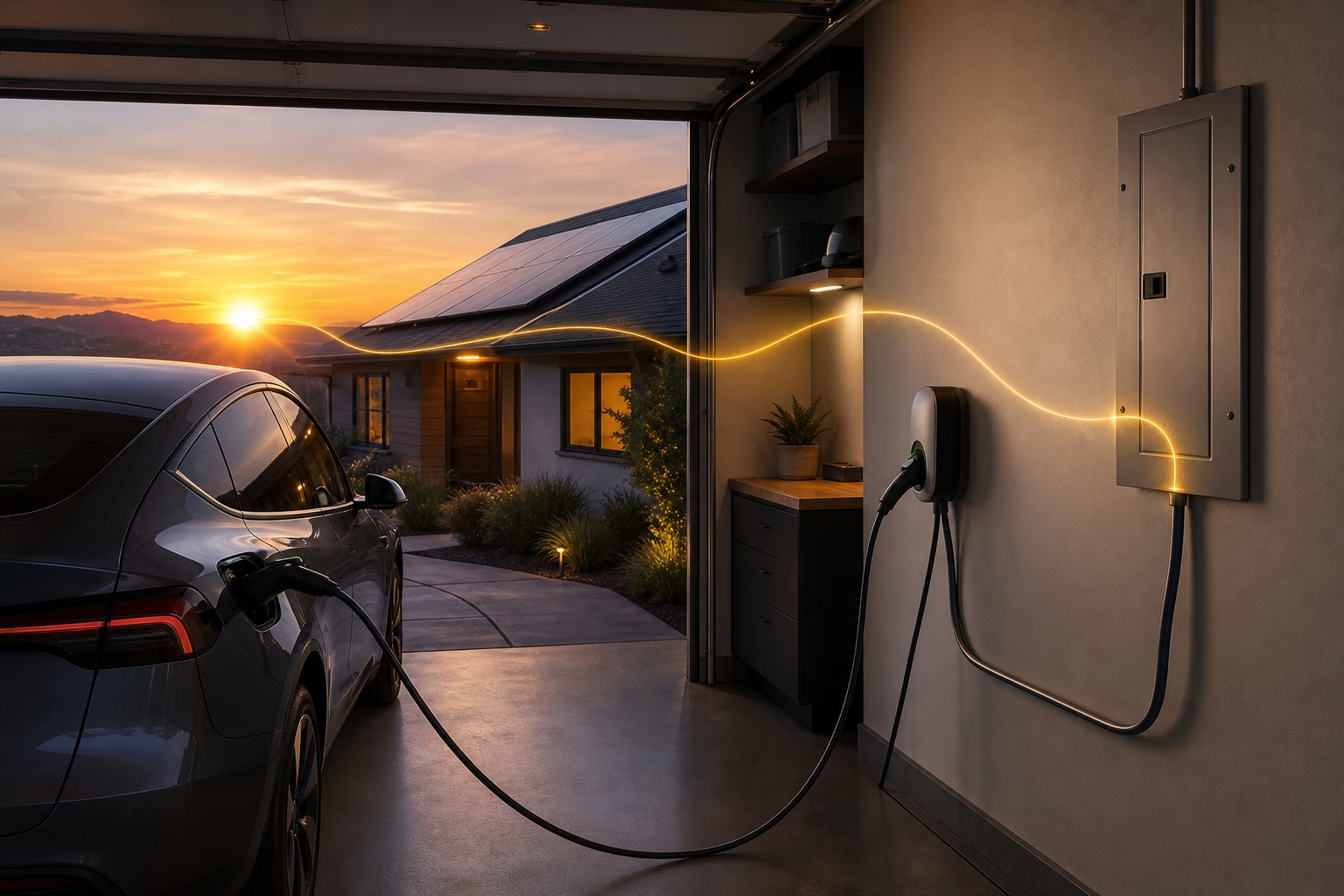
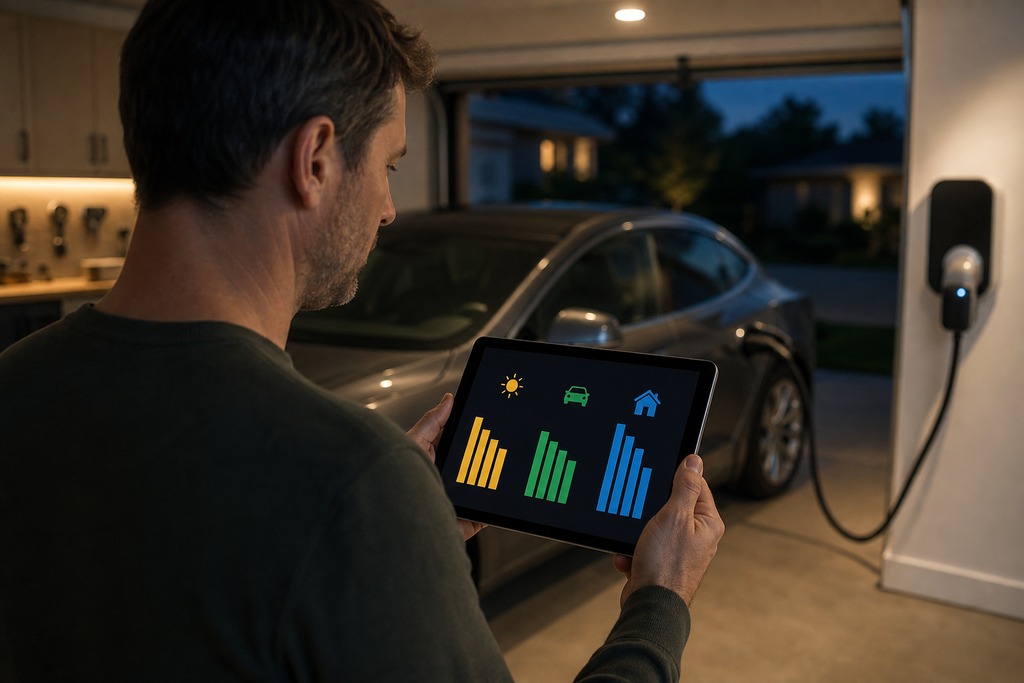
EV charger smart home integration is worth doing for one reason: energy management. That means charging on cheap off-peak rates, soaking up surplus solar, and throttling the charge current so your panel doesn't trip. Most guides lead with voice and Alexa. That's the least valuable part. Asking "is my car charged?" through a speaker is a nice extra: but it does nothing to lower your bill or protect your service panel.
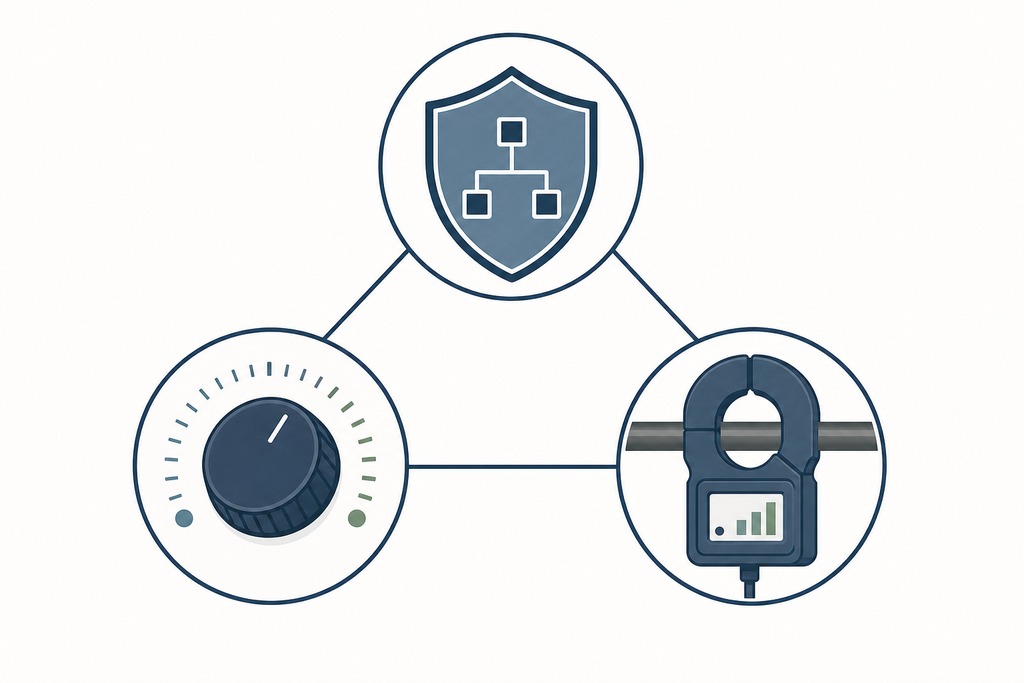
Two myths drive most bad purchases. The first is that voice control is the payoff. The second is that a Wi-Fi charger is automatically "smart home ready." Wi-Fi only gets the charger onto your network. Whether it can actually manage energy comes down to three features most buyers never check:
- whether it can adjust charging current in real time,
- whether you can control it locally instead of only through the maker's cloud, and
- whether it can read your home and solar energy through a meter or CT clamps.
Get those three right and the hub becomes a secondary decision.
What integration actually gets you
The useful version of this is an energy controller, not a voice toy. A properly integrated charger coordinates its draw with your electricity price, your rooftop solar, your home battery, and the rest of the house's demand: automatically, without you touching an app. The three realistic wins:
- charging overnight when power is cheapest,
- diverting daytime solar surplus into the car instead of exporting it, and
- reducing charge current the moment your oven or heat pump spikes the load, so the main breaker holds.
Voice status checks and "goodnight" scenes are real, but they're garnish. If a charger's only trick with Alexa is on/off, it isn't meaningfully integrated for energy purposes. Judge a charger by what it does with electrons, not what it says through a speaker.
What is EV charger smart home integration?
EV charger smart home integration connects a Level 2 home charger (the EVSE) to your home network and an energy-aware controller, so the charging session can be automated based on price, solar production, battery state, and total household load. It goes beyond remote start/stop: the goal is a charger that adjusts its own current in response to live conditions.
Three technical pieces make it real:
- Adjustable current while charging: the charger ramps between roughly 6 A and its maximum, not just switching on and off.
- Local control: an OCPP server you can point at yourself, or a documented local API, so smart behavior survives an internet or cloud outage.
- Energy visibility: CT clamps, a smart meter, or a smart panel feeding the charger real-time import, export, and solar data.
Miss any one of these and you're left with a scheduler and a status light.
The real benefits, and what each one needs
Each benefit below maps to a specific charger capability. If the charger lacks the requirement in the right-hand column, that benefit is off the table no matter which hub you own.
| Benefit | What it does | What it requires on the charger |
|---|---|---|
| Off-peak / TOU charging | Shifts charging to cheap windows; off-peak rates often run 50–70% below peak, saving roughly $10–30/month | Scheduling (built in on most chargers) |
| Solar surplus charging | Uses excess PV instead of exporting it; pushes self-consumption to ~80–90% (some sources claim up to ~100% of daytime charging) | Adjustable current + energy-meter or inverter link |
| Dynamic load management | Throttles amps when the oven, HVAC, or dryer spikes; can avoid a service upgrade | CT clamps / meter + adjustable current |
| Monitoring & alerts | Tracks kWh, cost, session history; notifies on charge complete or failure | App or dashboard |
| Automations | Charge on presence, price, solar output, or battery state | Local API / OCPP + a controller like Home Assistant |
| Voice status & scenes | "Is the car charging?"; folds charging into routines | Basic cloud integration: convenience only |
The two solar figures conflict in the sources. The 80–90% self-consumption range is the conservative, commonly cited one; "up to 100% of daytime charging" is the optimistic ceiling for a well-sized system on a sunny day. Plan around the lower number.
The features that decide whether a charger can do this
Buy against this list in order. The first three separate a real energy controller from a charger with an app.
- Dynamic load management: real-time current throttling before the home exceeds its service or circuit limit. This is what can save you from an expensive panel upgrade.
- Adjustable current while charging: essential for smooth solar-surplus tracking and load balancing. Remote start/stop is not a substitute; it can only pause, not modulate.
- Local API, OCPP, or documented local control: keeps smart behavior alive when the maker's cloud or your internet drops. If it uses OCPP, confirm you can point it at your own server, not just the vendor's commercial network.
- Energy-meter integration: CT clamps, a smart meter, or a smart panel such as Emporia Vue or Span. Solar and load management both depend on this data.
- Utility-program and rebate eligibility: some utilities only fund approved chargers or discounted rates. Check before you buy, not after.
- Vehicle-connector match: J1772 or NACS to fit your car. This is separate from smart features and does not affect them.
- Safety certification: UL or ETL listing, plus ENERGY STAR where available. ENERGY STAR-certified connected units draw about 40% less standby energy than non-certified models.
How chargers connect: protocols and standards
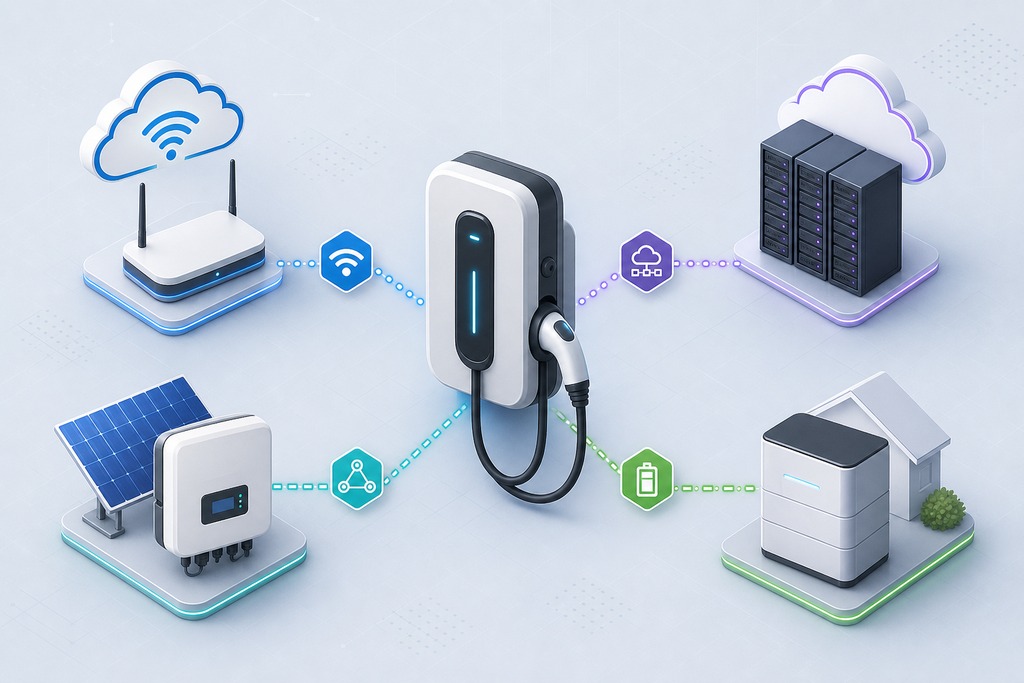
Connectivity and control are different things. Wi-Fi puts the charger on your network; the protocols below decide whether it can be orchestrated: and whether that orchestration is local.
| Protocol / standard | What it's for | Status |
|---|---|---|
| Wi-Fi (2.4 GHz) | Network access, cloud app, OTA updates | Universal; garages are often dead zones: fix with an extender or Ethernet |
| OCPP 1.6 / 2.0.1 | Open charger-to-server control; avoids lock-in | Growing in residential; verify customer-controllable server |
| Modbus TCP/RTU | Local load management with chargers and inverters | Common in solar-linked setups |
| ISO 15118 | Plug & Charge and bidirectional V2G/V2H | Emerging; needs compatible car and hardware |
| Matter | Added an EV supply-equipment device type in Matter 1.3 (2024) | Support still developing; verify per product |
| MQTT / REST API | DIY local and cloud data exchange | Depends on the charger's openness |
Zigbee and Z-Wave, common for sensors, are rarely used by chargers: the power levels and data needs don't fit those low-bandwidth meshes.
One caution on Matter: a device type existing in the specification doesn't mean any given charger, or any given Alexa/Google/Apple Home setup, exposes those energy functions. Confirm the exact product's certification and its supported controls before spending on the promise.
Smart home platforms compared
Only Home Assistant, or a dedicated smart panel, delivers true energy orchestration. The voice ecosystems handle status and routines well, but they can't modulate charge current against live solar and price data.
| Platform | Best for | Strengths | Limitations |
|---|---|---|---|
| Amazon Alexa | Voice status and routines | Broad charger support, simple setup | No real energy control |
| Google Home | Voice plus energy display | Shows usage, voice queries | Limited automation depth |
| Apple Home / HomeKit | Privacy and local control | Local, private | Native EV support rare; Matter emerging |
| Samsung SmartThings | Multi-device energy automations | SmartThings Energy, scheduling | Charger support inconsistent |
| Home Assistant | Advanced cross-brand energy coordination | Local, open, combines charger + solar + meter + price + battery | Needs setup and ongoing maintenance |
For automated solar and price-based charging, Home Assistant is the strongest platform. It's frequently paired with the open-source evcc project, which specializes in solar-surplus charging across 100-plus charger and inverter brands. Alexa, Google, and Apple Home add convenience on top: not control.
Popular Smart EV Chargers with Home Integration
Smart home EV chargers have split into three integration camps, and where a charger belongs matters more than its brand name because it determines whether the charger will cooperate with your existing smart home stack.
Solar-native chargers handle surplus-PV tracking and load management through built-in features and paired accessories. Wallbox and Emporia are the two brands driving this segment — Wallbox through its Power Boost feature and Emporia through a paired whole-home energy monitor. Smart home users with rooftop panels gravitate to these because the energy coordination lives in the charger's own firmware, not in a third-party platform they have to maintain.
Protocol-open chargers speak OCPP and accept commands from any compliant server. They attract the Home Assistant and evcc community because there is no vendor gate between the charger and the controller. A protocol-open charger obeys whatever you point it at, which means the integration ceiling is set by your own configuration skill rather than by a company's product roadmap.
Ecosystem-locked chargers deliver polished integration inside their maker's world but limit or complicate outside access. Tesla is the most visible example: the Wall Connector pairs natively with Tesla solar and Powerwall, but Home Assistant integration depends on an unofficial local-API path rather than a supported one. ChargePoint and Enel X JuiceBox sit closer to the middle — they offer Alexa, Google, and SmartThings support, but deeper energy automation depends on model vintage and whether the maker keeps the API open.
The practical upshot: if you already run Home Assistant or plan to, start with a protocol-open or local-API charger. If you want energy-smart charging without running a server, start with a solar-native charger and its paired meter. If your smart home is built around a single ecosystem — Tesla, Alexa, or Google — pick the charger that ecosystem promotes and accept the boundary that comes with it.
Top smart EV chargers compared
The chargers below span the meaningful range from open-and-local to closed-and-cloud. Prices are approximate and shift with sales and installation; confirm amperage against your circuit and connector against your car.
| Charger | Approx. price | Max output | Standout smart feature | Integrations / notes |
|---|---|---|---|---|
| Wallbox Pulsar Plus | ~$550–650 | 48 A hardwired / 40 A plug | Power Boost dynamic load management + solar surplus | Alexa, Google, SmartThings, Home Assistant, IFTTT |
| Emporia EV Charger | ~$300–400 | 48 A hardwired / 40 A | Pairs with Emporia Vue for whole-home + EV monitoring and load management | Emporia App, Home Assistant via local API, Alexa, Google |
| ChargePoint Home Flex | ~$550–700 | up to 50 A | Reliable Wi-Fi, utility demand-response | Alexa, Google, IFTTT; proprietary app, limited deep native integration |
| Tesla Wall Connector | Tesla App | 48 A | Native Tesla solar/Powerwall + multi-charger load sharing | Cloud-dependent; Home Assistant only via local-API workaround |
| Enel X JuiceBox 40/48 | Varies | 40 A / 48 A | Scheduling, utility programs | Alexa, Google, SmartThings, Home Assistant; older models cloud-dependent |
| Grizzl-E Smart | Varies | up to 40 A | OCPP-compatible, open protocol | Home Assistant via OCPP |
| Ohme Home Pro | Varies (UK) | Tariff-tracking against dynamic prices | Alexa, Google, Home Assistant (UK market) |
For solar owners on a budget, the Emporia charger plus an Emporia Vue is the most direct path to metered, load-managed charging. For a fully open, local setup, a Grizzl-E Smart or any OCPP charger driven by Home Assistant avoids lock-in. The Tesla Wall Connector integrates beautifully: but only inside Tesla's own world; third-party control is a workaround, and its smart features depend on the cloud.
Top EV Chargers for Smart Home Integration
A charger's smart home rank depends on what you want it to do. The best charger for a Home Assistant tinkerer is not the best charger for someone who just wants Alexa to announce "your car is done charging." Here are the picks by integration goal.
For Home Assistant, evcc, and full local control: A Grizzl-E Smart or any OCPP-native charger paired with evcc delivers the deepest integration available — real-time current adjustment, solar-surplus logic, dynamic-tariff scheduling — all running locally on a Raspberry Pi or in Docker, with no cloud dependency. The Emporia EV Charger's documented local API offers a comparable path for those who prefer a single-brand meter-plus-charger stack. These options let the homeowner, not the manufacturer, decide what "smart" means.
For solar-surplus charging without a dedicated hub: The Wallbox Pulsar Plus with Power Boost and a CT clamp handles surplus-PV tracking and load management through its own app and firmware. Emporia's charger-plus-Vue combination achieves the same through a unified single-brand ecosystem. Either path delivers metered, load-managed charging without the ongoing maintenance of Home Assistant.
For voice-first, flat-rate households: The ChargePoint Home Flex delivers the smoothest Alexa and Google Home experience among the chargers in this comparison, and its utility demand-response support makes enrollment in incentive programs straightforward. Voice platforms cannot modulate charge current — that is a limitation of the platforms, not the charger — but for a home without solar on a flat rate, current modulation is not the priority.
For single-brand Tesla homes: The Tesla Wall Connector integrates natively with Tesla solar, Powerwall, and the Tesla app, including multi-charger load sharing. The trade-off is a cloud dependency: if Tesla's servers go down, smart features go with them, and third-party Home Assistant access is a workaround rather than a supported integration.
Electrical reality: circuits and capacity
Level 2 charging is a continuous load, so a charger is limited to 80% of its circuit's rating. That single rule sets what each configuration can actually deliver at 240 V.
| Charging current | Typical dedicated circuit | Approx. max power @ 240 V |
|---|---|---|
| 24 A | 30 A | 5.8 kW |
| 32 A | 40 A | 7.7 kW |
| 40 A | 50 A | 9.6 kW |
| 48 A | 60 A | 11.5 kW |
Two limits sit above the wiring. Your car's onboard charger caps real-world speed: a vehicle that accepts 32 A will not charge faster on a 48 A unit. And Level 2 generally adds about 10–20 miles of range per hour per ENERGY STAR, running roughly 10% more efficiently than Level 1. (European homes with three-phase supply can reach up to 22 kW, which isn't available on standard North American single-phase service.)
Before you buy hardware, have a licensed electrician assess your service size, panel headroom, cable run, local code, and permit requirements: and decide between hardwiring and a plug. Dynamic load management can stretch a smaller service, but it doesn't replace this assessment.
Setting it up
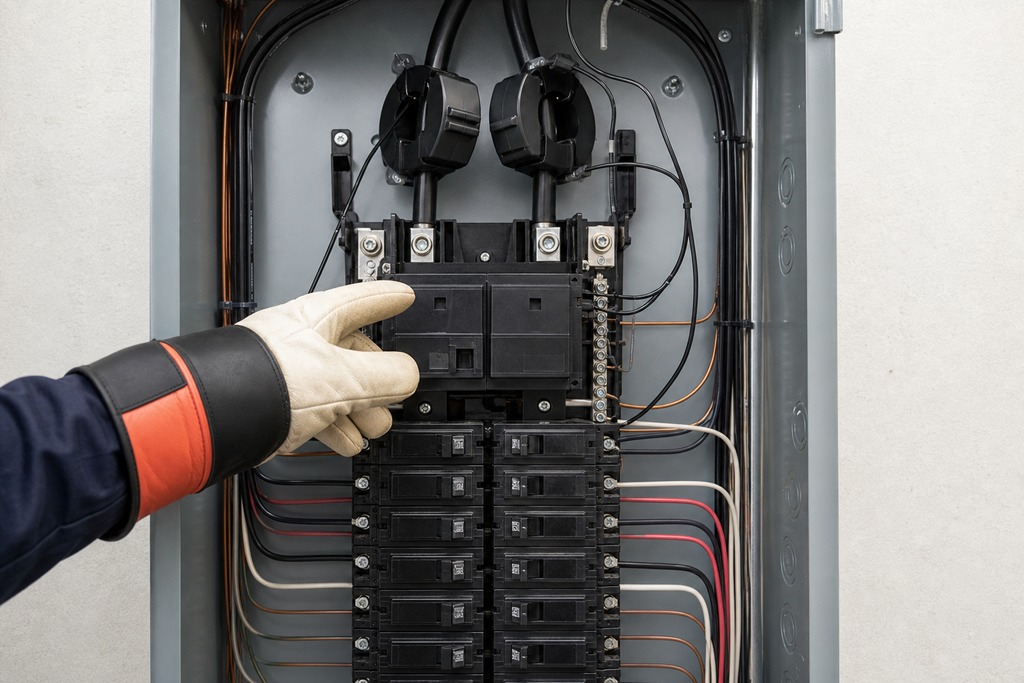
The path below works for a basic install and scales up to full solar automation. Steps 4 and 5 are what turn a scheduler into an energy controller.
- Pick the charger: one with local control or OCPP, or with native support for your chosen platform.
- Connect it: install the maker's app and join it to 2.4 GHz Wi-Fi, or run Ethernet if the garage is a dead zone.
- Link your platform: Alexa, Google, SmartThings, or Home Assistant.
- Add energy metering: CT clamps, a smart meter, or an Emporia Vue, required for any solar or load-management behavior.
- Set automations: a TOU schedule, a solar-surplus rule, and a load-throttling rule that cuts current when household draw nears the service limit.
- Monitor and refine: review kWh, cost, and session data, then adjust thresholds.
For a full DIY solar build, run evcc on a Raspberry Pi or in Docker, feed it your solar inverter and meter data over Modbus or an API, expose everything through Home Assistant dashboards, and add a dynamic-price provider such as Tibber, Octopus Agile, or Nord Pool. That stack charges the car on the cheapest available electrons (surplus solar first, cheap grid hours next) with no manual input.
Who should NOT bother with this
Skip the complex integration entirely if you have a flat electricity rate, no solar, and plenty of spare panel capacity. In that case a charger's built-in scheduler already captures every dollar there is to save, and adding a hub buys you nothing but maintenance.
A few more boundaries worth stating plainly:
- Home Assistant is not for "install and forget." It needs setup and ongoing upkeep. If you want something you never touch, buy a charger with a good native app and stop there.
- Do not buy expecting HomeKit. Native Apple Home support for chargers is still rare; Matter may bridge it, but only through specific certified products: verify, don't assume.
- Cloud-only chargers can go dark. A Tesla Wall Connector or an older JuiceBox loses smart features when the maker's servers or your internet go down. If uninterrupted control matters, insist on local control.
- Never run an EV charger through an ordinary consumer smart plug. They aren't rated for a sustained 32–48 A load, and it's a fire risk, not a shortcut.
Before you buy: the checks that save regret
Before committing to any charger, run through checks for Garage Wi-Fi, cloud vs. local control, open standards, solar compatibility, future-proofing, utility rebates, and panel capacity. Each one prevents a specific, common regret.
- Garage Wi-Fi: test signal at the charger location; plan an extender or Ethernet if it's weak.
- Cloud vs. local: confirm what still works with the internet down.
- Open standards: prefer OCPP with a customer-controllable server or a documented local API to avoid lock-in.
- Solar compatibility — if surplus charging is the goal, verify the charger-plus-inverter combination supports it.
- Future-proofing — check for Matter and ISO 15118 support, but treat them as bonuses, not reasons to wait.
- Utility rebates — confirm eligibility before choosing hardware.
- Panel capacity — verify your service can carry the circuit even with load management.
FAQ
Do I need Home Assistant to charge on solar?
No, but it is the most reliable way to automate it. Some chargers (Wallbox with Power Boost, Emporia with a Vue, Tesla within its own ecosystem) do solar-surplus charging natively. For cross-brand coordination or dynamic price-plus-solar logic, Home Assistant paired with evcc is the strongest option.
Can Alexa control my EV charger's charging speed?
Generally no. Alexa and Google Home handle on/off, status, and routines, but they don't modulate charging current against live solar or price data. Real current adjustment comes from the charger's own load management or from Home Assistant, not a voice assistant.
Does a Wi-Fi charger still work if the internet goes down?
The charger keeps delivering power, but cloud-dependent smart features usually stop. Scheduling, app control, and integrations may fail on a cloud-only unit like an older JuiceBox or the Tesla Wall Connector. Chargers with a local API or a self-hosted OCPP server keep their smarts running offline.
Is it worth waiting for Matter EV charger support?
Not as a reason to delay. Matter 1.3 added an EV charging device type in 2024, but support is still developing, and inclusion in the spec doesn't mean a given product exposes energy controls. Buy for the local control and load management you can verify today, and treat Matter as a future bonus.
Can I plug my EV charger into a smart plug to make it smart?
No. Consumer smart plugs aren't rated for the sustained 32–48 A a Level 2 charger draws, and using one is a genuine fire hazard. Smart behavior belongs inside the charger's electronics or in an energy controller — never in a plug between the wall and the charger.
References
- ENERGY STAR — EV Chargers: https://www.energystar.gov/products/ev_chargers
- Home Assistant — Tesla Wall Connector integration: https://www.home-assistant.io/integrations/tesla_wall_connector/
- CSA Group / Connectivity Standards Alliance — Matter 1.3 specification (EV supply equipment device type)
- evcc — open-source solar charging controller documentation: https://evcc.io