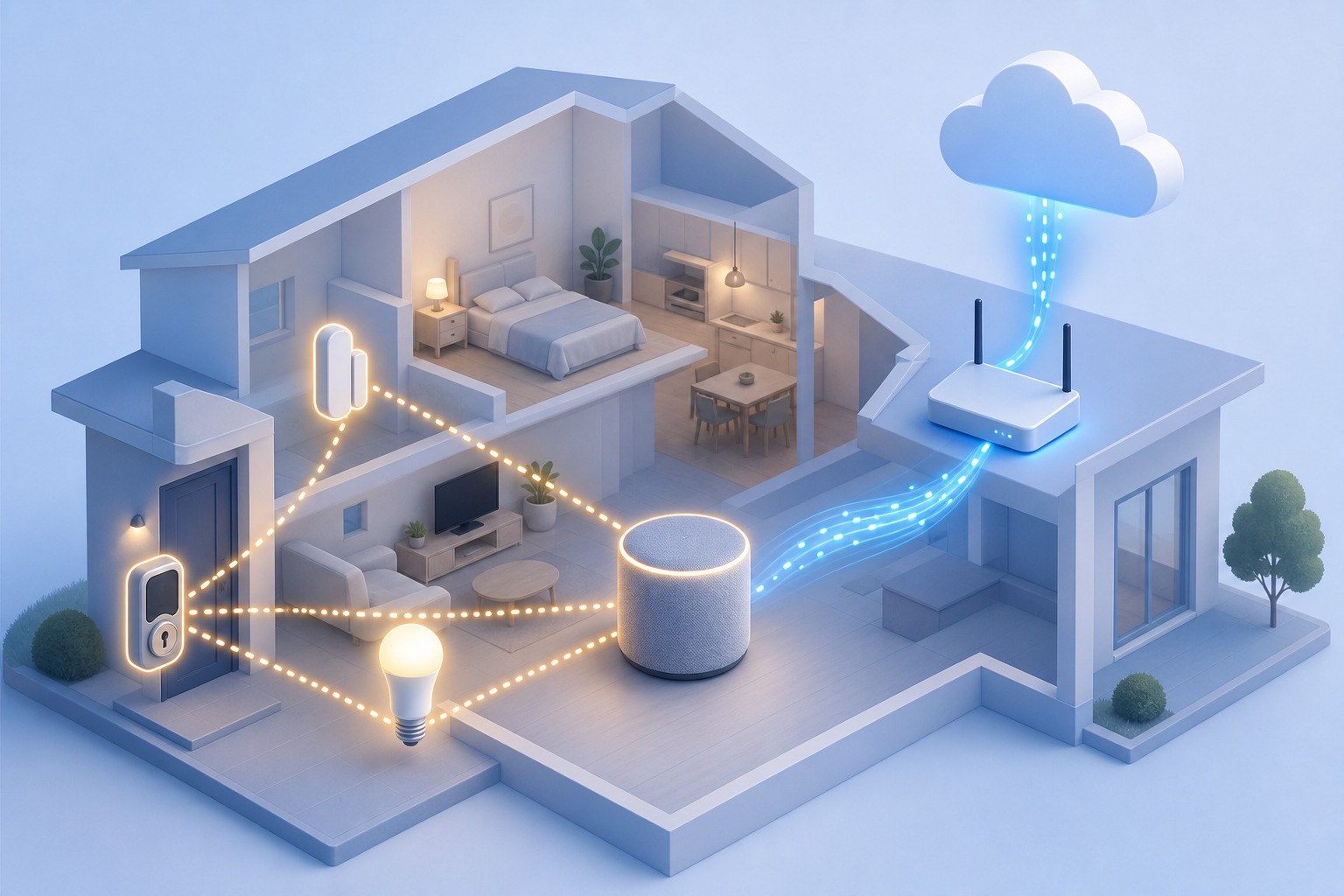
You bought a Matter-over-Thread lock, and now the app insists on a "Thread border router." Before you order one: you probably already own it.
A Thread border router is the bridge that connects low-power Thread devices (smart locks, contact sensors, bulbs) to your normal Wi-Fi or Ethernet network, and through it to your phone and the internet. It is not a hub, not a controller, and not the same thing as Matter. And here's what most buying guides get wrong: you probably don't need to buy one. The function is baked into gear you may already have: an Apple HomePod, a Google Nest Hub, a fourth-generation Amazon Echo, even some Wi-Fi routers. So the real question isn't which new box to order. It's which of your existing devices matches your smart-home ecosystem.
One border router covers an entire home. A second one only adds redundancy: no new capability.
What a Thread border router actually is
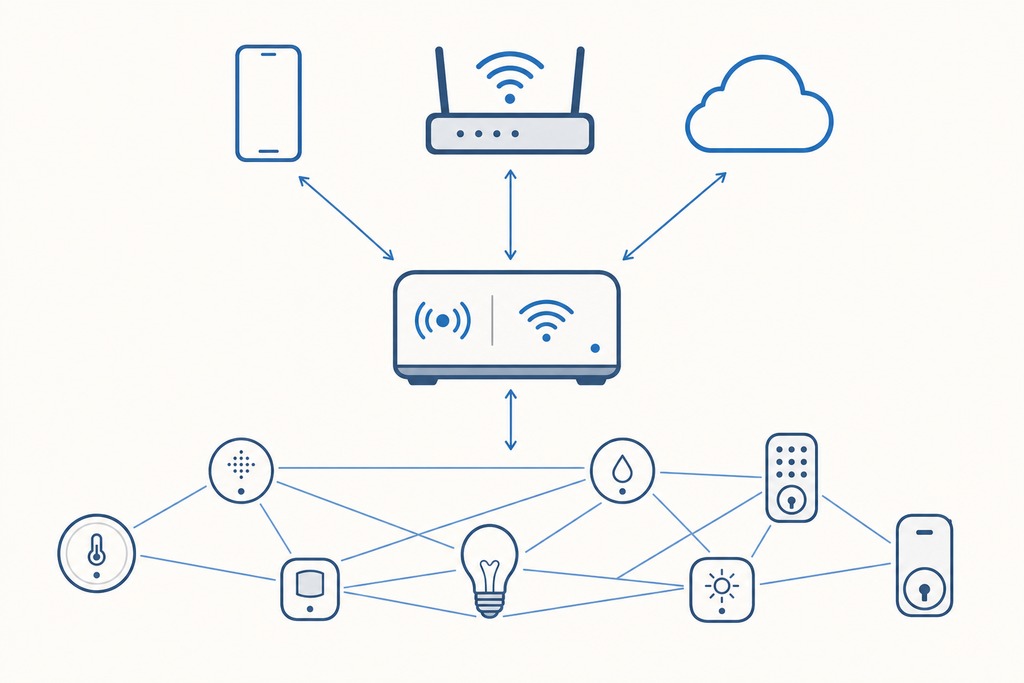
A Thread border router routes traffic between two networks that otherwise can't talk to each other: the low-power Thread mesh your battery devices run on, and the Wi-Fi or Ethernet network everything else uses. Thread runs on the IEEE 802.15.4 radio at 2.4 GHz and gives every device an IPv6 address: a separate network from the 2.4/5 GHz Wi-Fi your laptop uses.
What is a Thread border router? It's a device that keeps two network interfaces open (one on the 802.15.4 Thread mesh, one on your Wi-Fi/Ethernet LAN) and forwards IPv6 traffic between them, so Thread accessories can reach controllers, apps, and the cloud.
Without one, your Thread devices still form a mesh and talk to each other locally. But nothing outside the mesh (your phone, Alexa, a cloud automation) can reach them.
Thread and Matter are not the same thing
Thread is the network; Matter (or Apple HomeKit) is the software that controls your devices. The border router moves packets and controls nothing on its own. A Matter-over-Thread accessory needs both layers: Thread to carry the traffic, and Matter running on a controller to actually turn the light on.
This trips up a lot of shoppers. A device being a Matter controller does not mean it contains a Thread border router: those are separate capabilities. Check the exact model and generation before you assume a speaker or streaming box qualifies.
When you actually need one
You need a Thread border router for one reason: you own, or plan to buy, a Matter-over-Thread (or HomeKit-over-Thread) accessory. Nothing else on your network requires it.
In practice:
- You're installing a Matter-over-Thread lock, contact sensor, thermostat, blind, or bulb.
- The packaging says "Thread border router required."
- You want remote access, push notifications, or cloud automations for those Thread accessories.
You do not need one for:
- Wi-Fi-only or Ethernet devices: they reach your router directly.
- Bluetooth accessories.
- Zigbee or Z-Wave devices: those use their own separate hubs, not a Thread border router.
Thread devices work locally without a border router. But they stay sealed off from the outside world until one is present.
Common products with a built-in Thread border router
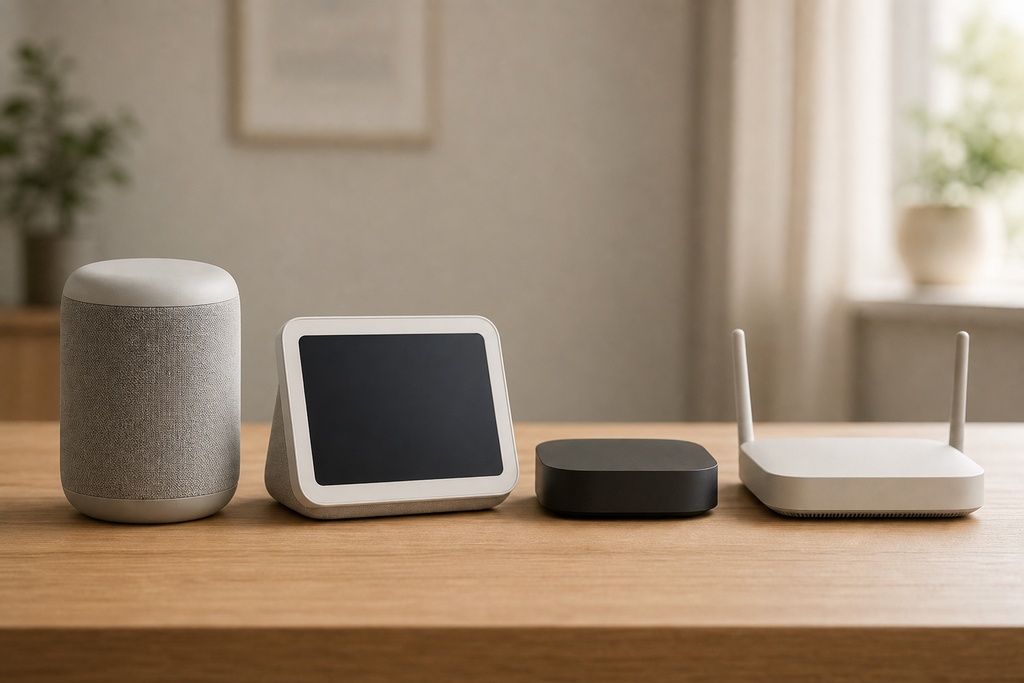
The border router almost never arrives as its own gadget. It comes baked into four kinds of hardware you might buy anyway:
- Smart speakers and displays — the most common home for the feature.
- Streaming media boxes — several qualify, though older units often don't.
- Mesh Wi-Fi routers — a few build it in so your network gear does double duty.
- Dedicated smart-home hubs — third-party units that bundle Thread with their other smart-home radios.
The table below names the specific models and their current prices.
Devices that already include a Thread border router
The best Thread border router is the one that matches your ecosystem and is already plugged in. Choose by the app you run your home from (Apple Home, Google Home, Amazon Alexa, or Samsung SmartThings) not by brand or spec sheet. Most people already own a qualifying device.
| Device | Ecosystem | Price (as of 07/10/2026) |
|---|---|---|
| HomePod (2nd generation) | Apple Home | $369.99 |
| HomePod mini | Apple Home | : |
| Apple TV 4K (2nd gen and later, incl. 3rd-gen Wi-Fi + Ethernet) | Apple Home | : |
| Nest Hub (2nd generation) | Google Home | : |
| Nest Hub Max | Google Home | : |
| Nest Wifi Pro | Google Home | : |
| Echo (4th generation and newer), Echo Show, Echo Studio | Alexa | : |
| Echo Dot Max | Alexa | $99.99 |
| Echo Show 11 | Alexa | $219.99 |
| eero (select models) | Alexa | : |
| SmartThings Hub / Station, select Galaxy devices | SmartThings | : |
| Aqara Hub M2 / M3 | Third-party | M3 $139.99 |
| Nanoleaf and Eve hubs | Third-party | : |
A dash means the research didn't list a current price: check the retailer. Support varies by exact model, generation, region, and software version, and not every product in a line qualifies. Apple's support documentation, for example, lists the HomePod mini, HomePod (2nd generation), Apple TV 4K (2nd generation), and Apple TV 4K (3rd generation Wi-Fi + Ethernet) as Thread-enabled: the older Apple TV HD is not.
Key functions of a Thread border router
Two jobs sit at the heart of what a border router does:
- Network bridging: The border router maintains two network interfaces. One connects to the Thread mesh (typically operating on the 2.4 GHz band using IEEE 802.15.4 radio), and the other connects to the main home network (Wi-Fi or Ethernet).
- IPv6 support: Thread is natively IPv6. The border router provides global IPv6 prefix delegation, allowing Thread devices to have routable IP addresses.
What it does behind the scenes
Behind the scenes, the border router runs several jobs, all invisible to you. It keeps two network interfaces open (one on the 802.15.4 Thread mesh, one on your Wi-Fi or Ethernet LAN) and forwards IPv6 packets in both directions. That bridging is the core of it.
Because Thread is natively IPv6, the border router hands out globally routable IPv6 addresses through prefix delegation, so each Thread device is directly addressable rather than hidden behind a translating gateway. It advertises service discovery across the boundary using SRP and mDNS/DNS-SD, so your phone can find a new sensor and the sensor can find the cloud. It forwards multicast traffic across the mesh edge, and can optionally run NAT64 so IPv6-only Thread devices still reach IPv4 internet services. It also helps commission new devices onto the network and acts as the security boundary, keeping unauthorized traffic out with AES-128 encryption.
Thread specs at a glance
Thread is deliberately small and slow: that's what keeps a door sensor alive for years on a coin cell.
| Spec | Detail |
|---|---|
| Radio standard | IEEE 802.15.4 |
| Frequency | 2.4 GHz |
| Network layer | IPv6 (with 6LoWPAN header compression) |
| Data rate | Up to 250 kbps |
| Mesh capacity | Up to 32 Thread routers; hundreds of end devices; ~250+ per network |
| Backhaul | Wi-Fi or Ethernet |
| Security | AES-128 |
| Topology | Self-healing mesh, no single point of failure |
Thread border router vs. router, hub, and Zigbee bridge
Four things get confused with a Thread border router. Each does a different job.
| Compared item | What it does | How it differs |
|---|---|---|
| Plain Thread router | Relays traffic inside the mesh | Stays internal; the border router bridges the mesh to Wi-Fi/Ethernet |
| Thread commissioner | Onboards new devices | A temporary role during setup; the border router is permanent |
| Smart-home hub / controller | Runs automations and control logic | Controls devices; the border router only moves traffic |
| Zigbee bridge | Gateways proprietary Zigbee to your network | Needs protocol translation; Thread is natively IP and a native Matter transport |
Building your own with Raspberry Pi, ESP32, or Home Assistant
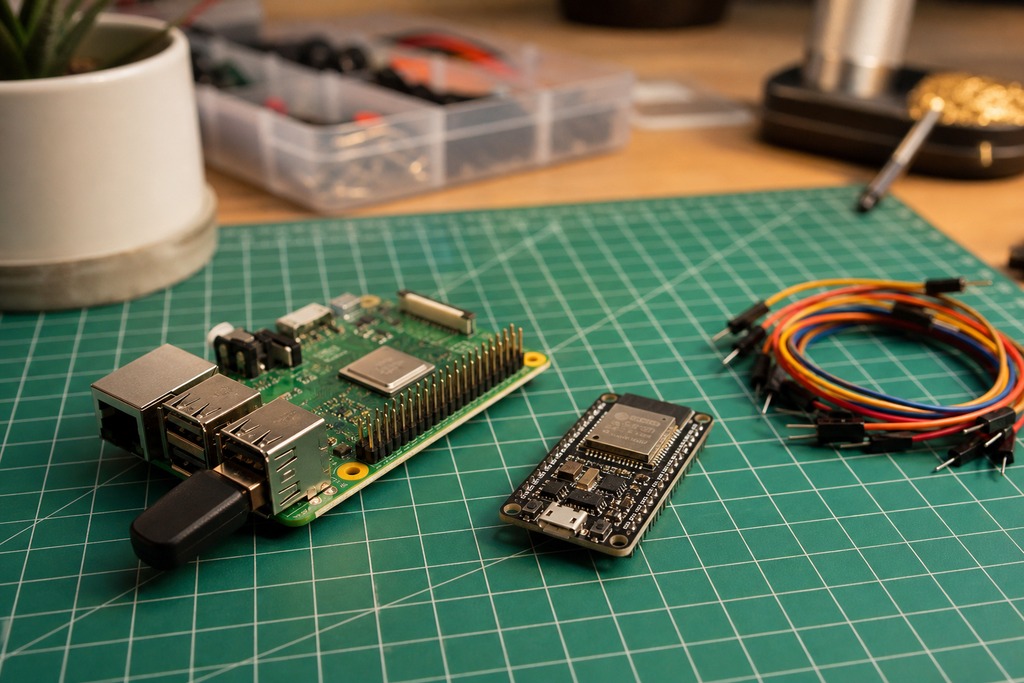
If you'd rather run your own, OpenThread Border Router (OTBR), Google's open-source implementation, turns cheap hardware into a working border router. The classic build pairs a Raspberry Pi with an 802.15.4 radio co-processor. Espressif's ESP Thread Border Router board costs $20.00 and supports Thread 1.3 with Matter. A Nordic nRF52840 dongle works too, and Home Assistant Green or Yellow can run the role with a compatible Thread radio dongle.
OTBR ships with a web GUI, REST API, and CLI, plus NAT64, DHCPv6 prefix delegation, and mDNS discovery: the same functions the commercial hubs run silently.
Check whether you already have one running
To see which border routers are live on your network, open your ecosystem's app. In Apple Home, tap the Home icon > Home Settings > Thread Border Routers & Extenders. In Google Home, go to Settings > Technical Information > Thread. In Alexa, open More > Settings > Developer Options > Matter & Thread. If a device shows up there, you're already covered: buying another only adds a failover path.
Placement and reliability
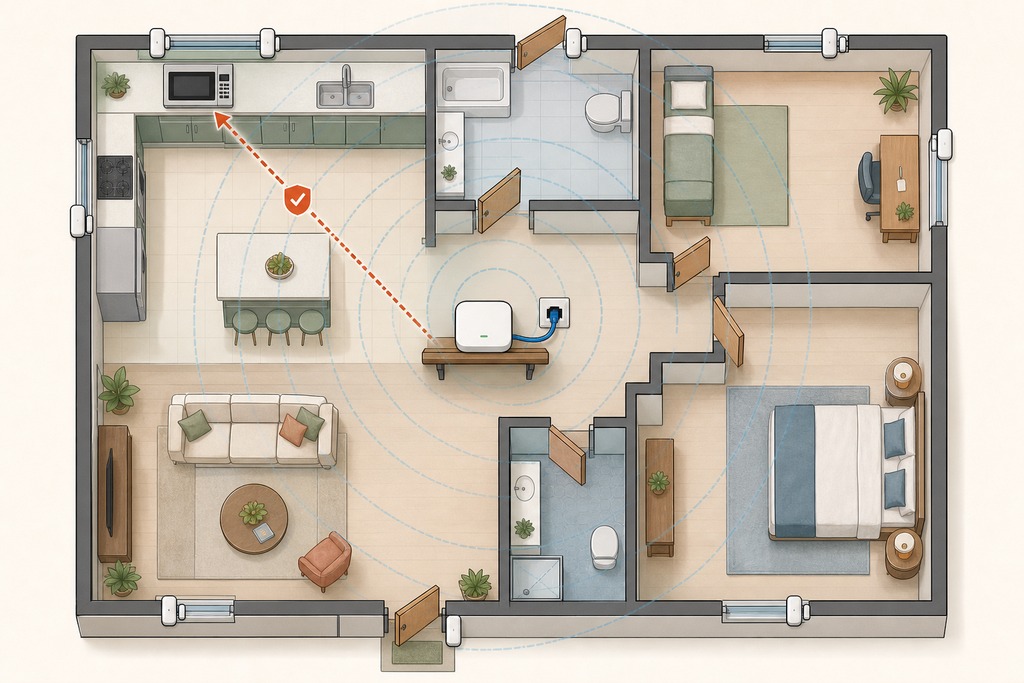
Keep one border router powered around the clock and firmly connected to your LAN: everything after that is optimization.
- Keep at least one border router powered continuously and reliably on the network.
- Place it near your first Thread devices for a strong initial radio link.
- Keep it clear of dense metal and heavy 2.4 GHz interference like microwaves and older baby monitors.
- Remember that mains-powered Thread devices relay and extend the mesh, while battery sensors sleep and don't.
- Add more border routers or powered relays for redundancy and automatic failover: resilience, not a requirement.
Who should not rely on a Thread border router
Skip it entirely if your smart home doesn't use Matter-over-Thread or HomeKit-over-Thread accessories. Wi-Fi bulbs and cameras, Zigbee lights like Philips Hue, Z-Wave locks, and Bluetooth trackers never touch Thread, so a border router does nothing for them.
Don't buy a new HomePod or Echo just to get one if you already own a qualifying device: check first with the app steps above. Don't expect it to replace your hub; it won't run a single automation on its own. And don't assume every model in a family qualifies: an older Apple TV HD or a first-generation Nest Hub won't do the job, even though newer siblings will.
FAQ
What are Thread border routers?
They're devices that bridge a low-power Thread mesh network to your regular Wi-Fi or Ethernet network, forwarding IPv6 traffic so Thread accessories can reach your phone, controllers, and the internet. The role is usually built into a smart speaker, display, streaming box, or Wi-Fi router rather than sold as a standalone box.
Why do I need a Thread border router?
You need one so Matter-over-Thread accessories (locks, sensors, thermostats, blinds, lights) can communicate beyond their own mesh. Without it, those devices talk to each other locally but can't reach an app, a cloud service, or your automations. If you own no Thread devices, you don't need one at all.
What is the best option for a Thread border router?
The best option is whichever qualifying device matches your ecosystem and stays powered on — a HomePod or Apple TV 4K for Apple Home, a Nest Hub or Nest Wifi Pro for Google Home, a fourth-generation-or-newer Echo for Alexa, a SmartThings Hub for SmartThings. One is enough, and you most likely already own it.
Is Apple TV a Thread border router?
Some models are. The Apple TV 4K (2nd generation) and Apple TV 4K (3rd generation Wi-Fi + Ethernet) include a Thread border router; the older Apple TV HD does not. Check your exact model before relying on it.
References
- Thread Group — "What is a Thread Border Router and how is it different from a hub or a bridge?"
- Connectivity Standards Alliance — Matter specification
- Apple Support — "Thread-enabled home accessories" (support.apple.com/en-gb/102078)
- OpenThread — Border Router guide (openthread.io/guides/border-router)
- Home Assistant — Thread integration documentation
- Espressif — ESP Thread Border Router