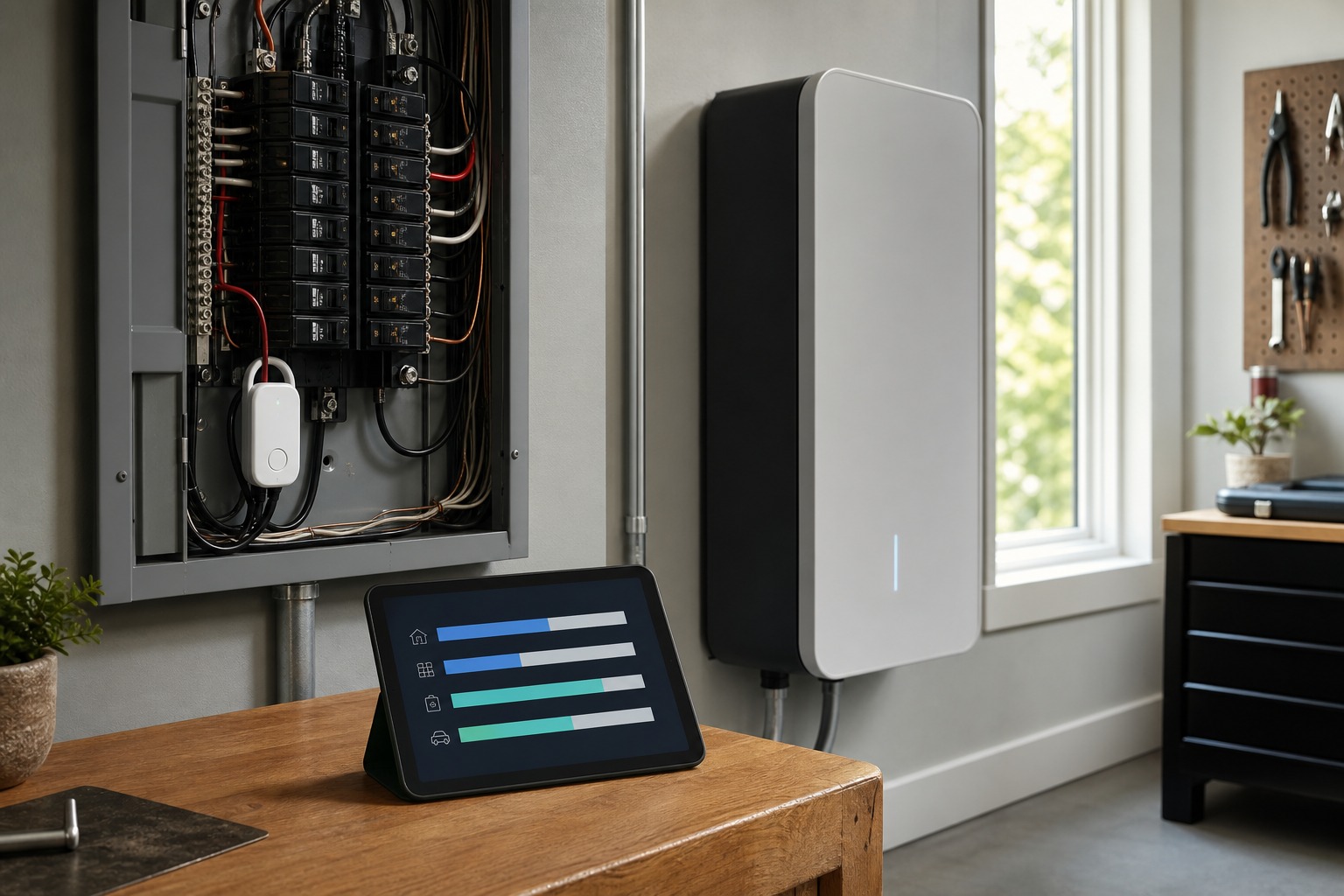
Buy every gadget at once and your bill barely moves. Smart home energy management pays off fastest when you treat it as a prioritized sequence. Measure your biggest loads first. Fix the basics: insulation, duct leaks, right-sized equipment. Then automate your largest flexible loads, starting with a smart thermostat, because it has the fastest and most consistently proven payback. Whole-home monitors, smart plugs, solar panels, and batteries come later: and only where your own usage data, rate plan, and local incentives show they will pay back.
Most guides blur two different things. Lowering your bill is not the same as cutting your energy use. Moving the dishwasher and EV charging to cheaper hours reduces cost without reducing consumption. And a smart device does not automatically deliver a headline saving. Per U.S. Department of Energy material, only smart thermostats have a consistently demonstrated savings record, while whole-system results depend on how you configure them and keep using them. A full setup runs anywhere from a $100 thermostat to $20,000-plus with solar and storage, so the order you buy in decides whether any of it pays back.
What Is Smart Home Energy Management?
Smart home energy management is the practice of using connected devices, software, and automation to monitor, control, and optimize a home's electricity, heating, cooling, and any on-site generation and storage. The ENERGY STAR Smart Home Energy Management Systems specification, effective September 3, 2019, sets a useful floor: three core components: a smart thermostat, lighting control, and plug-load monitoring. That floor is where you build up from, not a kit to install in one weekend.
What Is a Home Energy Management System (HEMS)?
A home energy management system (HEMS) is the layer that ties your devices together and acts on them. It runs a continuous loop. It monitors consumption through a smart meter, whole-home monitor, or smart plugs. It identifies patterns like heavy HVAC demand or a device drawing abnormal power. It automates devices by occupancy, weather, electricity price, or solar output. Then it reports results through an app so you can refine. Keep one distinction straight: monitoring is not controlling. A monitor like Emporia Vue shows you where power goes; thermostats, plugs, and chargers are what act on it, whether you drive them by app or by voice through Amazon Alexa or Google Home. Across these sources, renewable generation sits at the core of that loop, not at its edge: folding your solar production into the same decision engine that runs the thermostat and the charger is treated as a defining HEMS function, not a bolt-on.
Start With Your Biggest Loads
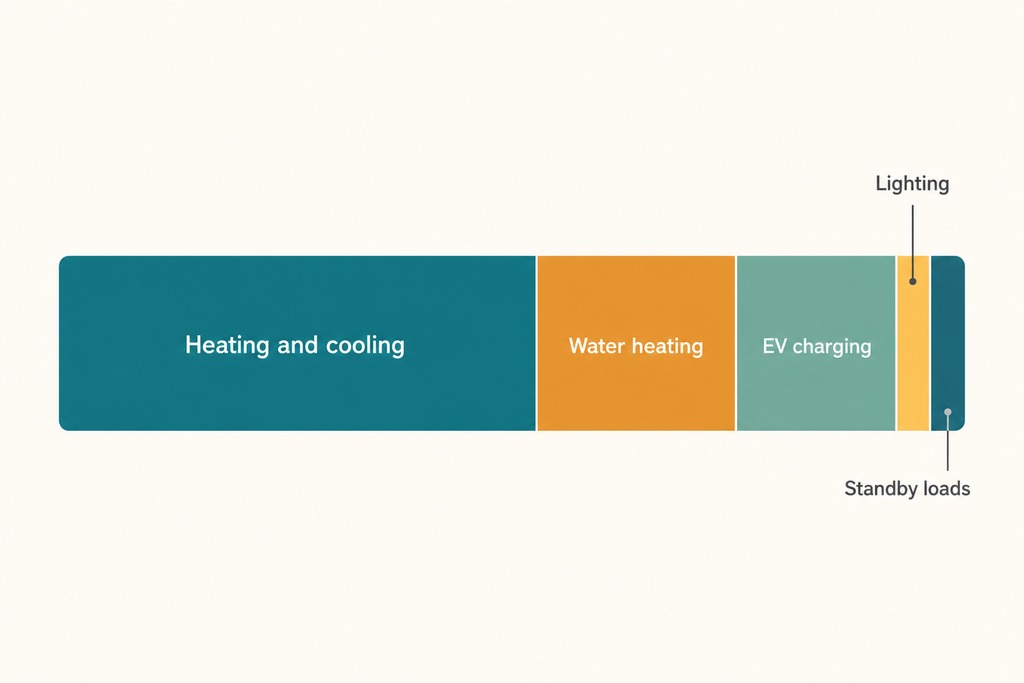
Target your largest loads before your smallest: that single decision governs your results. Heating and cooling is roughly 48% of a typical US home's energy use, with water heating and EV charging the next tier. The phone chargers and TVs everyone frets over are minor by comparison. A smart plug on a 5-watt standby load cannot move the needle the way a smart thermostat on your HVAC can. If your winter heating bill dwarfs everything else, that is where the first dollar and the first automation belong.
Core Components
The building blocks below map to specific hardware. You do not need all of them; you need the ones your loads and rate plan justify.
| Component | What it does | Examples |
|---|---|---|
| Smart meter | Tracks whole-home use in real time; enables time-of-use billing | Utility-supplied |
| Whole-home / circuit monitor | Shows where power goes; detects major loads | Sense, Emporia Vue, Schneider Electric Wiser |
| Smart thermostat | Automates HVAC, the largest load | Google Nest, Ecobee, Honeywell Home |
| Smart plugs & switches | Measure and schedule single devices; cut standby draw | TP-Link Kasa, Amazon Smart Plug, Eve Energy |
| Smart lighting | Turns off or dims by occupancy and daylight | Philips Hue, Lutron Caseta |
| Solar inverter + monitoring | Manages generation, self-consumption, grid export | SolarEdge, Enphase |
| Home battery | Stores solar or off-peak energy; backs up outages | Tesla Powerwall, Enphase IQ, LG RESU |
| Smart EV charger | Charges on cheap or surplus-solar hours | Various |
| Hub / platform | Coordinates devices, schedules, and rules | Samsung SmartThings, Google Home, Amazon Alexa, Apple Home, Home Assistant |
How It Lowers Your Bill
Five mechanisms do the actual work. Load shifting moves flexible appliances to cheaper off-peak hours, where rates can run 30–50% below peak. Peak shaving discharges a battery during expensive windows. Self-consumption prioritizes your own solar before you draw from the grid. Standby cutting kills the phantom draw that runs even when devices are "off." And occupancy- or weather-based setbacks trim HVAC when no one is home. Bosch's Energy Manager shows the priority logic concretely: a 6-kWp solar array covers about 50% of a four-person household's annual energy, rising to roughly 70% with an 8-kWh battery, by routing power to household appliances first, then the heat pump, then storage, and only last to the grid. Remember that load shifting cuts your bill, not necessarily your total consumption.
What It Saves: and What It Costs
Honest numbers, upgrade by upgrade. Treat the savings figures as ranges tied to your climate, rates, and equipment. Confirm current rebates and prices against your utility before you buy.
| Upgrade | Typical savings | Upfront cost | Payback |
|---|---|---|---|
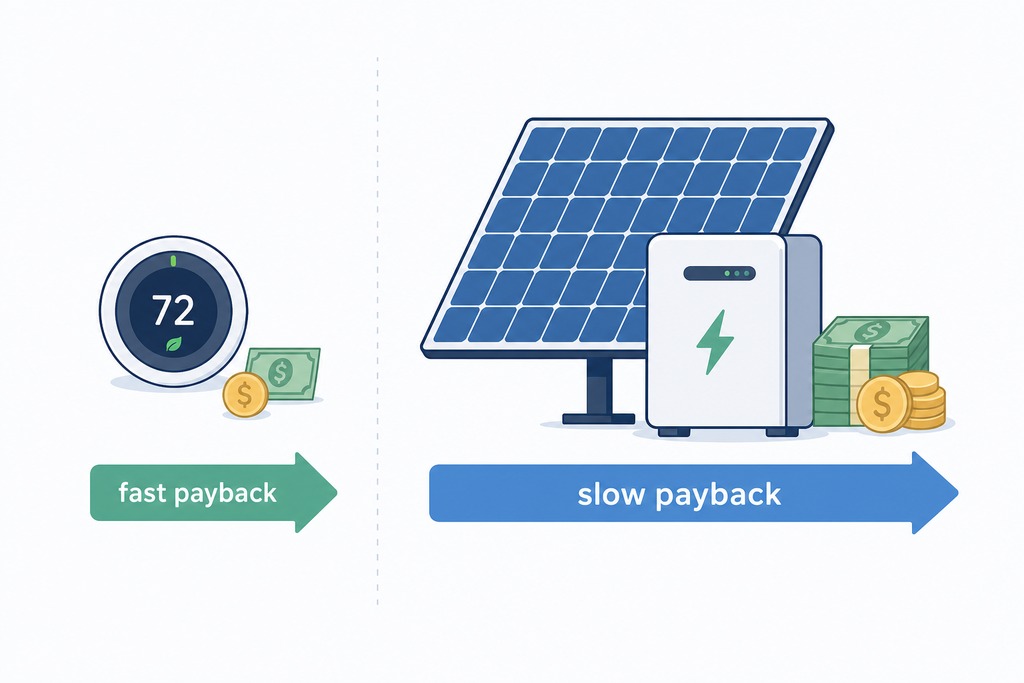
| Smart thermostat | 8–15% on heating/cooling (EPA: ~10–15% heating, ~15% cooling); roughly $50–$150/yr | $100–$250, minus $50–$100 utility rebates | 1–2 years |
| Whole-home monitor | Real-time visibility; no direct saving on its own | $200–$400 | ~2–3 years, via the changes it prompts |
| Smart plugs vs standby | Cut up to 80% of standby, which is 5–10% of the bill | Low per plug | Varies |
| Solar + battery + smart charging | 20–40% off grid electricity cost (10–30% commonly cited) | $5,000–$20,000+ | 6–12 years |
Common Factors That Decide Your Savings
Your actual savings hinge on five variables (climate, your rate plan, how leaky your home is, your equipment, and your habits) which is why a single vendor percentage tells you almost nothing. Fix the envelope before you automate: sealing and insulating ducts can improve HVAC efficiency by around 20% (ENERGY STAR), often beating automation alone. Read big savings claims skeptically, because only smart thermostats have a consistently demonstrated record per DOE material. And hold onto the money-versus-energy line: time-of-use optimization can shrink the bill while your total kilowatt-hours barely move.
Measure First
Before buying anything beyond a thermostat, measure. Install a whole-home or circuit-level monitor (Emporia Vue, Sense, or Schneider Electric Wiser) or pull 12 months of smart-meter data to find your real biggest loads and confirm whether you are on a time-of-use rate. Circuit- or appliance-level data beats a single whole-home number, because it tells you which breaker is costing you rather than just that "the house" used a lot. That evidence, not a marketing page, decides what you buy next and whether it is worth automating at all.
The Roadmap: Order of Operations
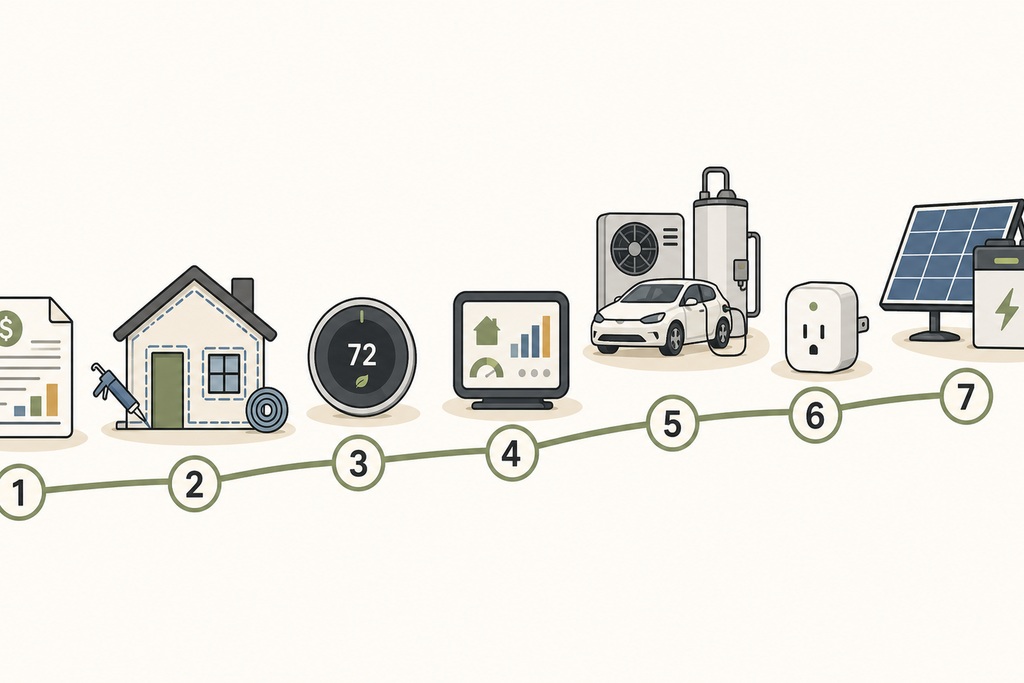
Follow this sequence; each step earns the next.
- Review 12 months of bills and check whether your tariff includes peak or time-of-use pricing.
- Fix insulation, air leaks, duct leaks, and inefficient equipment first.
- Install a compatible ENERGY STAR smart thermostat.
- Add whole-home or circuit-level monitoring.
- Automate the largest flexible loads: HVAC, water heating, and EV charging.
- Add smart plugs only where measurement reveals a worthwhile load.
- Consider solar and battery if rates, outage frequency, incentives, and payback justify it.
How to Choose a System
Judge a system on longevity, not launch-week features. Check compatibility first: your HVAC wiring, heat-pump support, electrical-panel capacity, EV charger, and appliance protocols. Favor interoperability through Matter for basic cross-brand control, but know that advanced energy functions may still be tied to one manufacturer or utility. Prioritize local operation: automations that run on your hub keep working during an internet outage and give you more control over your data, which matters most when the vendor's cloud shuts down or the company folds. Then weigh rate support (time-of-use, real-time prices, demand response), data quality (circuit-level over a single number), and whether you can export and retain your history. Lock down security with unique passwords, multifactor authentication, automatic updates, and a separate network for IoT devices. Finally, read the fine print on subscriptions: some reports, automations, or history require an ongoing fee.
High-Value Automations
These rules deliver most of the payoff:
- Set back HVAC when everyone leaves; restore comfort before anyone returns.
- Reduce heating or cooling overnight.
- Start EV charging only after off-peak rates begin.
- Run the dishwasher, laundry, and water heating in cheap windows.
- Prefer your own solar for EV charging and flexible appliances.
- Discharge the battery during peak hours while preserving a backup reserve.
- Alert you when demand crosses a threshold or a device draws abnormal power.
- Join utility demand-response events to trim load during grid stress.
- With a heat pump, avoid aggressive setbacks that trigger inefficient auxiliary resistance heat: use heat-pump-compatible controls, and for variable-capacity systems the manufacturer's own controller.
Who Should Skip This: and the Real Downsides
Say no, or not yet, if you live in a small, well-insulated home with low HVAC bills and no time-of-use rate: complex gear, especially smart plugs on minor loads, may never pay back for you. The honest downsides apply to everyone else too. Upfront cost is real: a full setup can top $20,000, with solar and battery paybacks of 6–12 years. Mixing brands is still fiddly, though Matter is improving it. Detailed energy data reveals your occupancy and daily routines, so treat it as sensitive. Advanced platforms like Home Assistant reward technical effort but demand it. And most systems lean on a stable internet connection: one more reason to favor local control where you can get it.
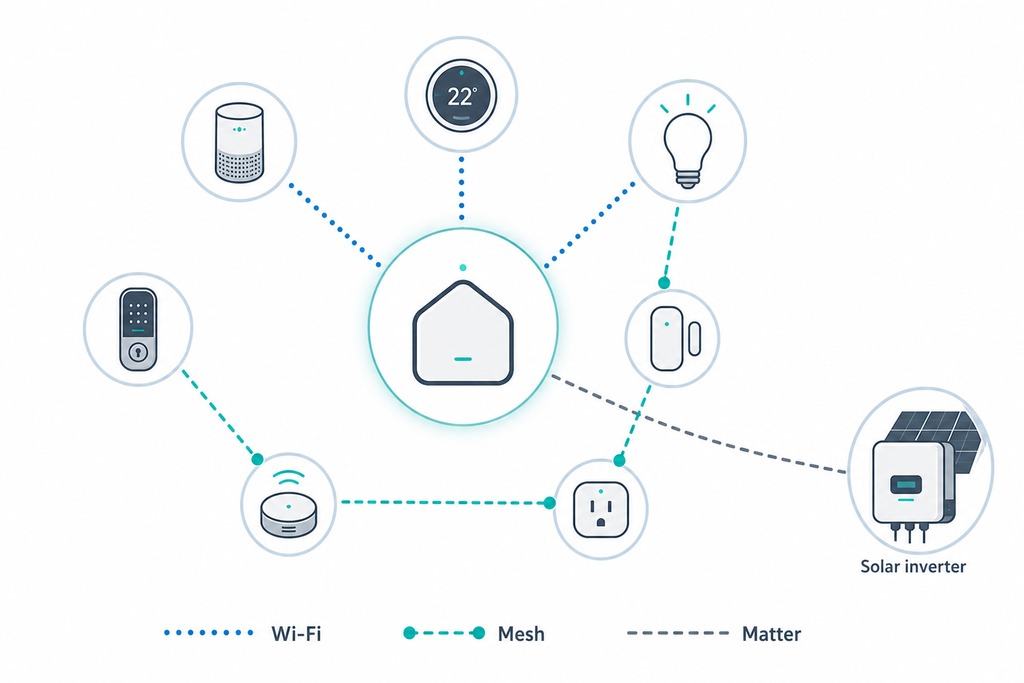
How Devices Talk to Each Other
Smart-home compatibility checker
Check the control path before buying. This covers basic control; a shared standard does not promise every energy or vendor-specific feature.
Verdict: works-with-bridge
Worked example: a Matter device and a Matter-over-Thread device can share basic control through a Matter controller with a Thread border router.
Suggested path: Add or use a Matter controller that includes a Thread border router; then add both devices to the same Matter home.
Check the exact model’s certification and region. Bridges can expose only the features their maker chose to map.
Connectivity choices decide whether your gear still works together in five years. Buy into standards, not a single brand's walled garden.
| Protocol | Best for | Notes |
|---|---|---|
| Wi-Fi | Most consumer devices | Easy setup, higher power draw |
| Zigbee / Z-Wave | Low-power sensors and plugs | Mesh network; usually needs a hub |
| Thread | Low-power, low-latency mesh | Pairs with Matter |
| Matter | Cross-brand basic control | Reduces lock-in; advanced energy functions may stay vendor-specific |
| Modbus / SunSpec | Solar inverters | Industrial-grade energy devices |
Benefits Beyond the Bill
The payoffs are not only financial. A well-run setup can cut roughly 1–2 metric tons of carbon per year, mostly by shrinking HVAC waste and folding in renewables. A home battery keeps essentials running through an outage. Enrolled in demand response or a virtual power plant, your battery and flexible loads help the grid avoid firing up expensive, polluting peaker plants: sometimes for a payment. And the plain visibility matters: for the first time you can see exactly where your energy goes.
Where the Market Is Heading
The category is growing fast, though the exact size is unsettled. One source pegs it at $12.5 billion in 2023 heading to $38 billion by 2030 at an 18.5% compound annual growth rate; another at roughly $1.9 billion in 2021 growing 18–25% a year. So treat "growing fast" as the reliable signal, not any single figure. Adoption is broad but shallow: about 43% of US broadband households owned at least one smart device as of 2023. Rising rates, EV adoption, and incentives are the drivers. Near-term directions to watch: virtual power plants, dynamic-pricing integration, vehicle-to-home and vehicle-to-grid (Ford F-150 Lightning, Nissan Leaf), whole-home electrification, carbon-aware scheduling, AI-driven optimization, and wider Matter adoption.
FAQ
Does smart home energy management actually lower my bill?
Yes, but mostly through the basics and one device: sealing and insulating your home, then a smart thermostat, which trims 8–15% off heating and cooling. Broader gains from monitors, plugs, solar, and batteries depend on your rate plan, configuration, and continued use: the automation is not automatic savings.
What single device should I start with?
A smart thermostat. It targets the largest load (heating and cooling, roughly 48% of a typical home's energy) costs $100–$250 before rebates, and typically pays back in 1–2 years. No other single smart device has as consistent a savings record.
Is solar plus a battery worth it?
Sometimes, not usually as a quick win. A full setup runs $5,000 to $20,000-plus with a 6–12 year payback, and can cut 20–40% off grid electricity cost. It makes sense when your rates are high, outages are frequent, and local incentives are strong: otherwise the payback is too long to lead with.
Will a smart thermostat work with a heat pump?
Only if it is heat-pump-compatible, and you should avoid deep setbacks. Aggressive temperature drops make a heat pump call for inefficient auxiliary resistance heat to catch up, wiping out the savings. Use controls built for heat pumps, and for variable-capacity systems the manufacturer's own controller.
What happens if the company folds or the internet drops?
That is why local control matters. Systems that run automations on a local hub keep working during outages and after a vendor shuts down its cloud. Favor standards like Matter, Thread, and Z-Wave over single-brand clouds so your devices stay useful for a decade, not a product cycle.
References
- U.S. Environmental Protection Agency / ENERGY STAR — Smart Thermostats FAQ: https://www.energystar.gov/products/heating_cooling/smart_thermostats/smart_thermostat_faq
- ENERGY STAR — Heating & Cooling / duct sealing: https://www.energystar.gov/saveathome/heating-cooling
- ENERGY STAR — Smart Home Energy Management Systems: https://www.energystar.gov/products/smart_home_energy_mgnt_systems
- U.S. Department of Energy — Home Upgrades: https://www.energy.gov/save/home-upgrades
- U.S. Department of Energy — Leveraging Smart Home Technology: https://www.energy.gov/eere/better-buildings-residential-network/articles/getting-smarter-every-day-leveraging-smart-home
- NEEP — Home Energy Management Systems: https://neep.org/smart-efficient-low-carbon-building-energy-solutions/home-energy-management-systems
- Bosch — Smart Home Energy Management System: https://www.bosch.com/stories/smart-home-energy-management-system/
- Homey — Energy Management wiki (dynamic tariff availability): https://homey.app/en-us/wiki/energy-management/
- Connectivity Standards Alliance — Matter specification