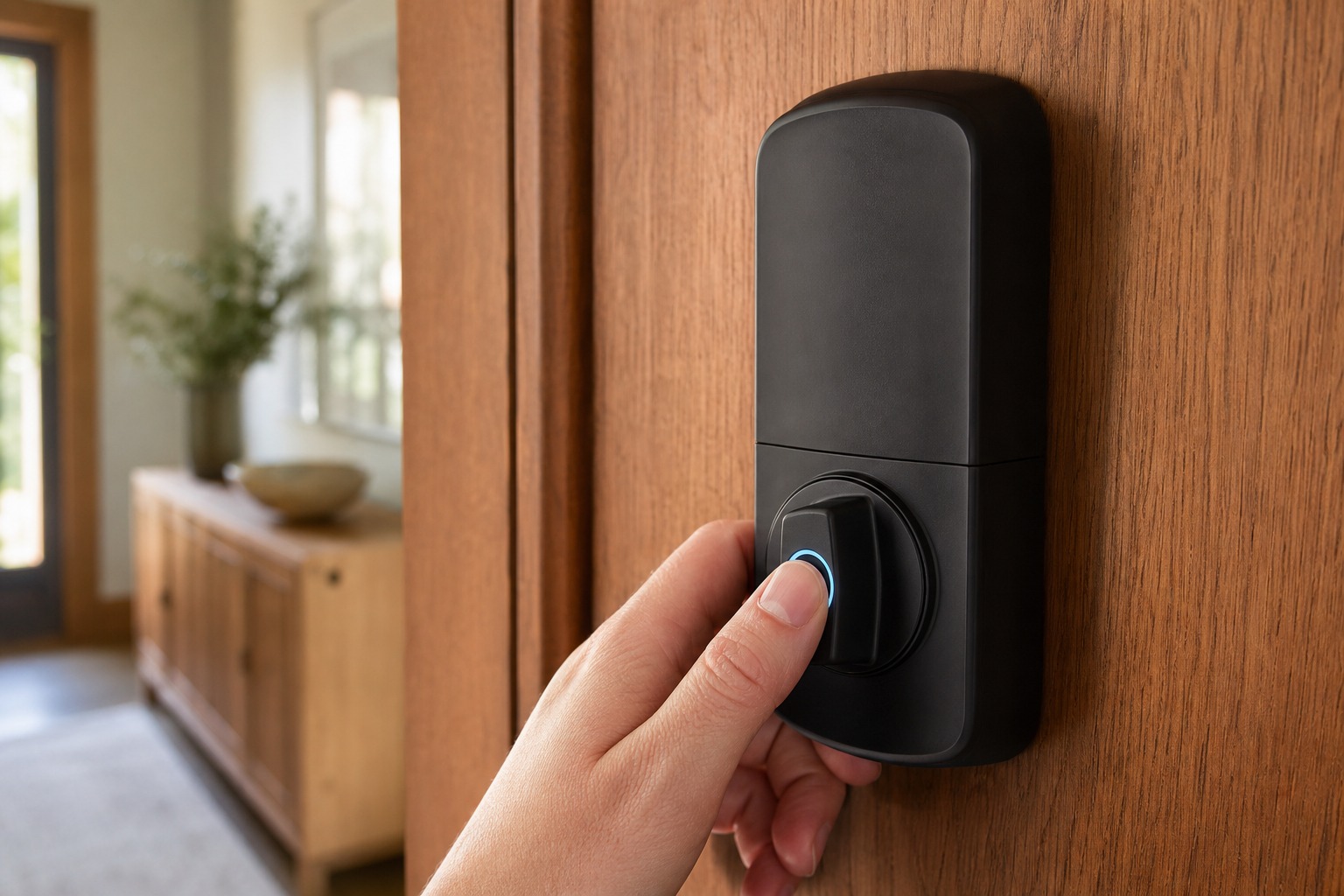
Buy a biometric smart lock for one thing: the speed of walking in without digging for keys. Then pick the exact model on three things that matter far more than any fingerprint spec: its deadbolt grade, its backup ways in, and whether it stores your fingerprint on the lock itself. The headline fingerprint numbers are the least useful thing to shop on. The reader is a convenience feature. It doesn't stop a break-in, and it's almost never the only way the lock opens.
Every model worth buying is multi-method: fingerprint plus a PIN pad, plus a key or a phone. So the real choice isn't fingerprint versus keys. It's which multi-method lock fits your door, your climate, and your smart-home setup: and whether the physical bolt behind that fancy sensor can take a boot. Keep at least two backup ways in and an emergency-power option, and the fingerprint becomes what it should be: the fast everyday layer on a lock that's secure for other reasons.
What a Biometric Smart Lock Actually Is
A biometric smart lock is a multi-method electronic deadbolt, lever, or handle that reads a fingerprint, occasionally a face, to open, while still accepting a PIN, a physical key, or a phone. The biometric part replaces the daily fumble for keys, not the keys themselves.
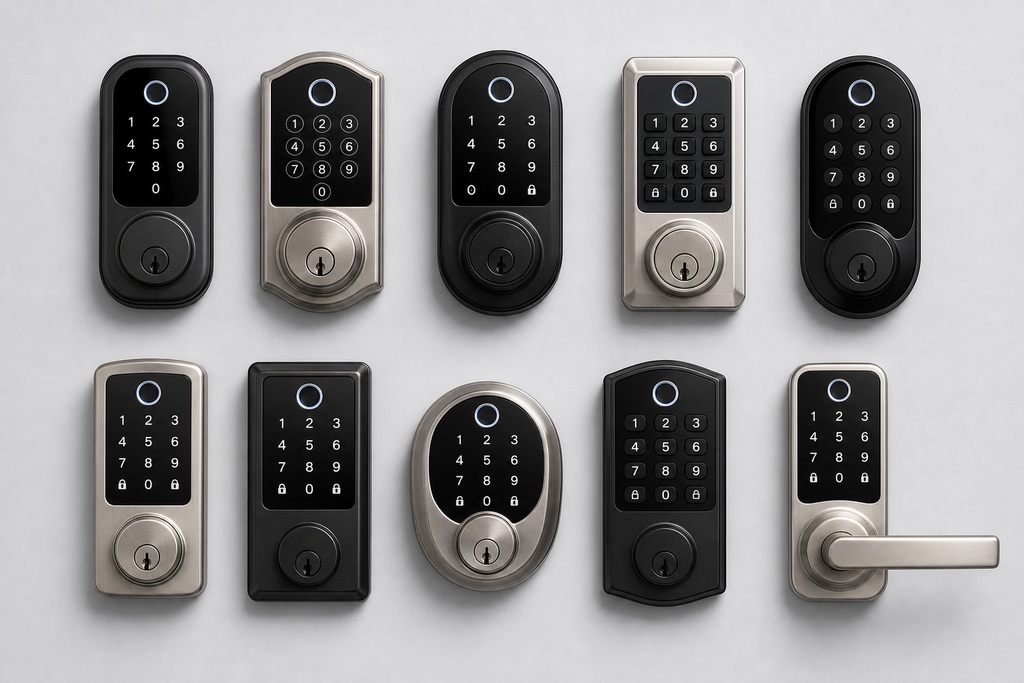
That distinction changes how you shop. Marketing frames these as "your finger is your key," but a fingerprint-only lock is rare and a bad idea. The good ones stack methods on purpose, because skin gets wet, cold, and cut, and because batteries and circuit boards eventually die. You'll meet the same lock in a few body styles: a fingerprint ring around the deadbolt turnpiece (Kwikset Halo Touch), a sensor hidden inside the thumbturn (Level Lock+), a keypad-and-reader escutcheon, a push-pull handle (Samsung), or a fingerprint door knob for a bedroom or office interior door. The form factor decides where your thumb naturally lands. It doesn't change the buying logic below.
How Biometric Smart Locks Work
The lock captures your fingerprint, turns it into an encrypted mathematical template, never a stored photo, and matches future scans against that template right on the device. Good models keep the template in a secure chip inside the lock, so the print never travels over the internet.
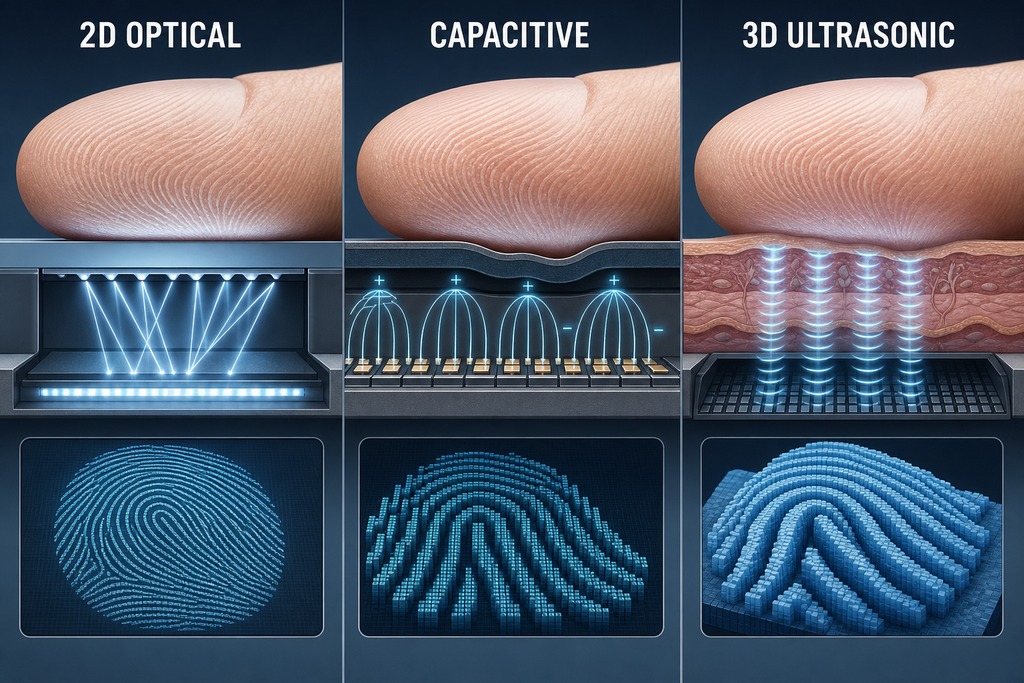
The sensor type is the part most buyers ignore, and shouldn't, because it decides how easily a fake print can fool the lock:
- Optical sensors take a flat 2D picture of the ridges. Cheapest, and the easiest to spoof with a lifted or printed fingerprint.
- Capacitive sensors read the electrical map of your skin's ridges and valleys. Faster, more accurate, and much harder to fool. This is the sweet spot for a home.
- Ultrasonic sensors bounce sound waves to build a 3D image, including detail below the surface. Best resistance to spoofing, but still rare and expensive in home locks.
Higher-end sensors add liveness detection (checking for skin conductivity, blood flow, or micro-movement) so a photo or a molded print won't pass. If a spec sheet only says "fingerprint" and names no sensor type, assume optical and treat the anti-spoofing claims with suspicion.
Types of Biometric Authentication
Fingerprint recognition dominates home locks because it's fast, accurate, and cheap; every other biometric method is either niche or absent from homes. The table below shows where each one actually lands in a house.
| Type | How it works | Where it shows up in homes | Speed / accuracy trade-off |
|---|---|---|---|
| Fingerprint | Reads ridge patterns via an optical, capacitive, or ultrasonic sensor | The default on nearly every residential biometric lock | ~99.5%+ match in under 1 second; capacitive is the practical best |
| Facial recognition | Maps 3D or infrared facial geometry, ideally with liveness detection | Higher-end video and doorbell locks (Lockly Vision, Lockly Visage) | 1–2 seconds; less predictable with lighting, hats, or height |
| Iris / retina | Scans unique eye patterns | Commercial and government only; effectively absent from homes | 2–3 seconds; extremely accurate but slow and costly |
| Vein / palm | Reads vein patterns under the skin of a hand or palm | Rare residential; palm-scan units like the TCL D2 Pro | 1–2 seconds; hard to spoof, still a novelty |
| Voice | Analyzes vocal characteristics | Least common; mostly an assistant gimmick, not a primary unlock | Fast but least secure; defeated by noise and voice cloning |
Facial recognition is a pricey niche, not a requirement. It shines when your hands are full of groceries, but it stumbles in low light, with a hat pulled low, or when a child stands a foot shorter than the enrolled adult. Most homes get more from a good fingerprint reader plus a keypad than from a camera on the door.
Reading the Fingerprint Specs
Two numbers separate a lock that annoys you from one that doesn't: how often it opens for the wrong person, and how often it refuses the right one. Both appear on premium spec sheets, and both matter more than raw storage capacity.
| Spec | What it means | What good looks like |
|---|---|---|
| False Acceptance Rate (FAR) | How often the lock opens for someone it shouldn't | ~0.001% (1 in 100,000) or lower |
| False Rejection Rate (FRR) | How often it denies an enrolled, authorized user | 1–3%; higher means daily re-taps |
| Recognition speed | Time from touch to the bolt moving | 0.3–0.5s on premium units (SECURAM EOS: 99.3% accurate, under 0.4s) |
| Fingerprint capacity | Prints and users the lock stores | 50–100+ for a household (Kwikset Halo Touch: 100 prints / 50 users; eufy Touch: 50 prints; SECURAM EOS: ~9 users vs. Touch: 30) |
| Weatherproofing | Sensor and electronics resistance to rain and dust | IP65 or higher on any exterior door |
FAR and FRR pull against each other. Tighten the match to lower false acceptances and you raise false rejections; loosen it for smooth daily reads and you make impostor prints slightly more likely. For a home, err toward reliable reads: a burglar isn't presenting a lifted fingerprint, they're forcing the door. Capacity rarely bites a family: even the stingy SECURAM EOS at nine users covers a household, and most people never fill 50. If you run a rental or a small office, count heads and add margin.
What Actually Keeps the Door Secure
The physical lock keeps burglars out, not the fingerprint reader. A brilliant sensor bolted to a flimsy cylinder is still a flimsy lock, so the numbers that predict a break-in are the deadbolt's grade and how the frame is built: not FAR, FRR, or scan speed.
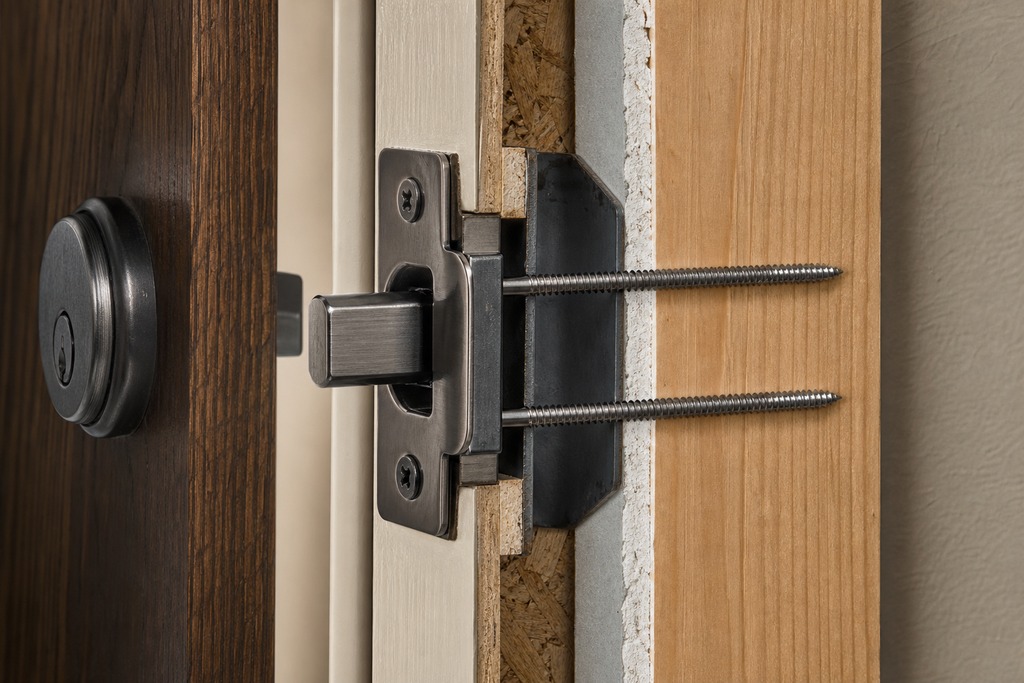
Shop the bolt on its ANSI/BHMA grade: Grade 1 is the strongest residential rating, Grade 2 is solid for most homes, and Schlage's current smart locks carry a residential AAA rating for security, durability, and finish. Pair that grade with a hardened bolt, a reinforced strike plate anchored by 3-inch screws into the framing, and a door that closes squarely so the bolt throws fully. Those four things resist a shoulder or a pry bar; the electronics do nothing against either.
This matters because of how burglaries actually happen. More than 30% of burglars walk in through the front door, often an unlocked one, and forced entry accounts for most of the rest. Lockpicking is not a realistic threat per FBI patterns, and despite years of testing, no real-world electronic exploit of a consumer smart lock has been documented. The genuine edge a smart lock holds over a plain deadbolt isn't spy-movie hack resistance; it's the entry log and the alert on your phone when someone tries and fails. Say that plainly and you've named the security case correctly: better awareness, not a stronger door.
Flaws That Aren't Dealbreakers
Every fingerprint lock has the same handful of weaknesses, and every one has a workaround: which is exactly why you never rely on the sensor alone. Wet, dirty, cut, or very cold fingers can fail to read, and hard cold also saps battery life and slows the sensor. Enroll two or three fingers per person, register both hands, and keep the PIN as a no-fuss fallback.
Optical sensors can be fooled by a fake print; capacitive and 3D sensors resist it, which is why the sensor type on the spec sheet is worth checking. Very young children and some elderly users enroll poorly because their ridges are faint or worn: for them, a PIN or a phone key is the primary method, not the finger. And the whole thing runs on batteries, so it will eventually go dark; that's a scheduling problem, not a design flaw, as long as the lock has a key or an emergency-power path. None of these sinks the category. They just explain why the next section exists.
Backups, Batteries, and Not Getting Locked Out
Keep at least two ways in besides the fingerprint, and make sure one of them works with dead electronics. A keypad plus a physical key is the safest practical combination, because the PIN covers a wet finger and the key covers a dead battery.
- PIN keypad: the everyday fallback when a finger won't read
- Physical key: works even with dead batteries and dead electronics
- NFC or phone wallet key: tap an iPhone or Apple Watch to open
- App / remote unlock: for letting someone in while you're away
- Emergency-power terminal: a USB-C port or 9V contact to jump a dead lock
On power: most biometric locks run 4 to 8 AA batteries lasting 6 to 12 months, and low-battery alerts arrive well before the lock quits. Some last longer, the Level Lock+ runs 12 to 15 months on a single CR2, and many include a USB-C or 9V emergency terminal so you can press a battery to the contacts and open the door long enough to swap cells. If your lock has no key and no emergency terminal, it has exactly one point of failure, and you should pass.
Connectivity and Smart-Home Fit
Match the radio to how you'll use the lock and to the ecosystem you already own, because the wrong choice either drains batteries or strands the lock outside your smart home. Buy into a standard, not a brand's private hub, and the lock outlives the company that made it.
| Connection | Remote access | Battery impact | Ecosystem notes |
|---|---|---|---|
| Bluetooth | Local only, within range | Light: best battery life | Fine if you don't need to open the door from work |
| Wi-Fi | Direct, from anywhere | Heaviest drain | Built into Schlage Arrive (~$199) and Kwikset Halo Touch; no hub needed |
| Thread / Matter | Efficient, from anywhere | Light | Broad ecosystem, but may need a Matter controller and a Thread border router |
| Proprietary hub | Through the maker's bridge | Light on the lock | Better battery, but adds hardware and lock-in (Aqara U100 ~$150 needs a hub for remote) |
Before you buy, confirm the lock supports your actual platform (Apple Home and Apple Home Key, Google Home, Alexa, or SmartThings) by name, on that exact model. One trap swallows a lot of buyers: "Matter compatible" or "HomeKit compatible" does not mean every feature works through that standard. Fingerprint enrollment and user management almost always stay locked inside the maker's own app, no matter which ecosystem shows the lock's status. Matter, as of version 1.4 and later, standardizes lock and unlock, battery, and access-code events: not biometric enrollment. Plan to keep the manufacturer app installed even in a mostly-Apple or mostly-Google house.
Privacy Snapshot
A fingerprint is permanent, you can't reissue it if it leaks, so favor locks that store an encrypted template locally and never upload a raw fingerprint image. The template is a one-way mathematical hash: the lock compares your live scan against it and can't rebuild your print from it, which is the whole point of keeping it on the device rather than in someone's cloud.
Look for local storage (Ultraloq and eufy keep templates on the lock), signed firmware updates, and basic operation that continues when the internet or the maker's cloud goes down. Wireless traffic should be encrypted to a real standard (August uses 128-bit AES, Danalock uses AES-256) to blunt interception of the unlock signal. Cloud storage of biometric data buys convenient syncing at the cost of a breach surface for data you can never change; for a single home, that trade rarely pays. Whatever you choose, keep the app, lock firmware, phone, and router updated, and treat the lock like any other device on your network. CISA lists connected locks among the IoT gear that needs ordinary network hygiene, not special paranoia.
Leading Models Compared
The table below is the buying shortlist, with every spec drawn from published manufacturer and reviewer data. Prices are approximate and move with sales: verify the current figure and the current firmware before you commit.
| Model | Biometric type | Capacity | Connectivity & ecosystem | Battery life | Approx. price | Note |
|---|---|---|---|---|---|---|
| Ultraloq U-Bolt Pro WiFi | Capacitive fingerprint | ~95–100 prints | Wi-Fi, Alexa, Google, IFTTT | 9–12 mo (4× AA) | ~$200–250 | 6-in-1 access, ANSI Grade 1 |
| Aqara U100 | Fingerprint + keypad | Up to 100 prints | Apple Home Key; needs hub for remote | Up to 12 mo | ~$150 | U200 adds Matter + deadbolt retrofit; U400 adds NFC/UWB |
| Schlage Encode Plus | Phone-based (Home Key / Touch ID) | Keypad codes | HomeKit, Matter, Alexa; built-in Wi-Fi | 6–9 mo (4× AA) | Premium | No on-lock reader; ANSI/BHMA Grade 1, keypad-focused |
| Level Lock+ | Capacitive, hidden in thumbturn | Fingerprint + codes | HomeKit, Matter, Home Key | 12–15 mo (CR2) | Premium | Looks like a plain deadbolt; sensor invisible |
| eufy Smart Lock Touch | 3D capacitive | Up to 50 prints | Apple Home Key, Alexa, Google; local storage | 8–12 mo (4× AA) | Mid | Unlocks under 0.3s, IP65; S230 up to 100 prints; C34 ~$80 budget |
| Lockly Vision Elite | 3D fingerprint + face + shuffling PIN + key | Multi-user | Wi-Fi, Bluetooth | Rechargeable | ~$350–400 to $499.99 | Includes video doorbell; price cited both ways: confirm before buying. Lockly Visage adds face + fingerprint + Home Key |
| Kwikset Halo Touch | Fingerprint in deadbolt turnpiece | 100 prints / 50 users | Built-in Wi-Fi; Matter on newer units | 6–12 mo | Mid | Re-keyable SmartKey cylinder |
| Samsung SHP-DP609 | Fingerprint + push-pull handle | Up to 100 prints / 100 PINs | Often needs a Wi-Fi bridge | 6–12 mo | ~$200–350 | Push-pull design, random security digits |
| SECURAM EOS / Touch | Capacitive fingerprint | EOS ~9 users; Touch 30 users | EOS non-Wi-Fi; Touch adds connectivity | 6–12 mo | $119 / $215 | Fast, accurate reader; Sesame from $39 is the budget floor |
A note on the Lockly Vision Elite: published prices split between roughly $350–400 and $499.99 depending on bundle and retailer, so read the listing carefully before assuming which one you're getting. And Schlage Encode Plus is the model people most often misread: its "biometric" unlock is Apple Home Key using your iPhone or Apple Watch, or Touch ID on the phone. There is no fingerprint reader on the lock itself. If you want a thumb on the door with no phone in hand, that's the eufy Touch, Kwikset Halo Touch, Ultraloq, or Aqara: not the Encode Plus.
How They Rank Against General Smart Locks
Don't confuse general smart-lock rankings with biometric picks: the top-scoring "best smart locks" often have no fingerprint reader at all. SafeHome's SecureScores put August at 9.4 ($229.99), Yale at 9.1 ($179.99), and Schlage at 9.0 ($149), but August's headline model unlocks by app and auto-unlock, not by a finger on the lock. Those scores rate the whole category; treat them as context, not as fingerprint recommendations.
Among reviewers who focus specifically on fingerprint readers, the verdicts diverge. Wirecutter, which has tested locks continuously since 2015, calls the Aqara U100's reader the best it has tried. SafeHome names Ultraloq its best fingerprinting lock at 7.7/10. Both are defensible: Aqara reads more reliably in daily use, Ultraloq offers more entry methods and easier rental-style code management: and the gap between them is smaller than the gap between either and a lock with a weak deadbolt. Pick on the fit criteria in this guide, and either would serve.
Who Should Skip a Biometric Lock
Skip biometrics, or pair them carefully, if any of the following describes you: a keypad-only smart lock or a high-security mechanical deadbolt does the same job without the downside:
- You need genuine high security: the reader alone isn't enough; pair a Grade 1 deadbolt with a reinforced frame, or the fingerprint is decoration.
- Your power is unreliable: frequent outages plus a battery lock is a lockout waiting to happen, unless you commit to the key and emergency terminal.
- You face daily cold, rain, or grime: wet and cold fingers fail often enough that a keypad is simply more dependable.
- You can't accept storing a permanent fingerprint: a print you can never reissue isn't worth the worry when a PIN pad opens the same door.
- You can't legally change the lock: renters, condo owners, and anyone under HOA, insurer, or fire-code rules may be forbidden from swapping it. Check first.
For everyone else, the case is strong: homeowners who want fast keyless entry, rental managers issuing and revoking remote guest codes, and small offices that need a log of who came and went. If you fit those and none of the boundaries above, a fingerprint lock is the most convenient smart-lock design you can buy.
Installation and Setup
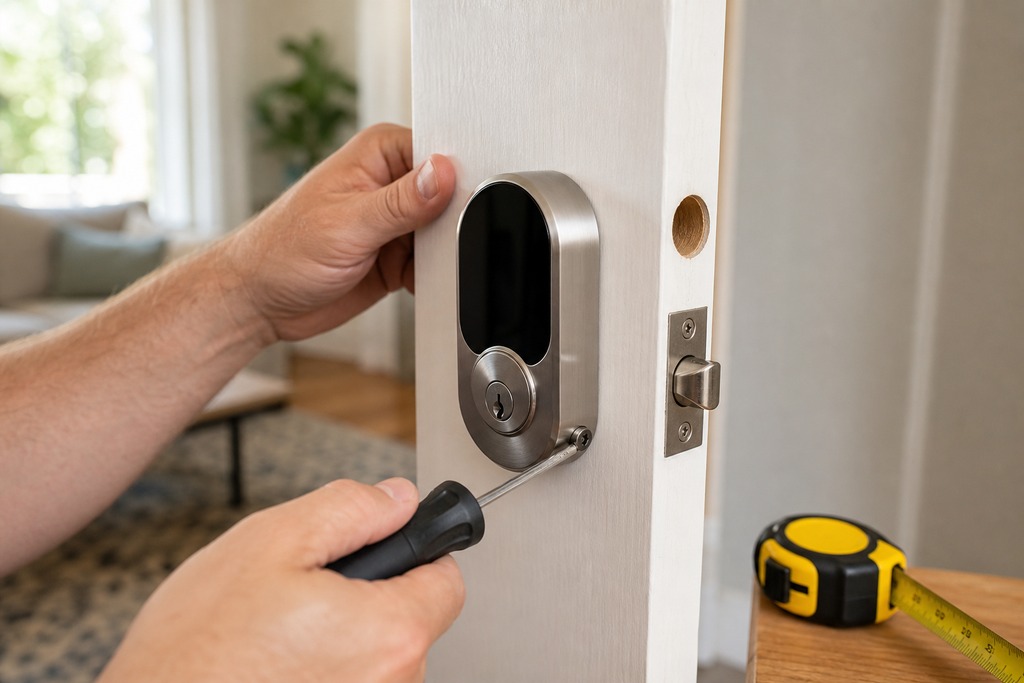
Most biometric locks retrofit an existing door in 15 to 30 minutes with a screwdriver: but the fit measurements come first, and a misaligned bolt causes more "smart lock failures" than any sensor ever will.
- Measure before you buy. Confirm the backset (2⅜" or 2¾"), the bore hole (2⅛" standard), and the door thickness (1⅜" to 2"). A lock that doesn't fit the door is the most common return.
- Check the mechanics first. Make sure the deadbolt throws fully and the strike aligns before you mount any electronics; a bolt that drags will jam the motor and drain batteries.
- Install the hardware. Follow the model's template; most deadbolt retrofits keep your existing hole pattern.
- Enroll fingers deliberately. Register 2–3 fingers per user and use both hands, so a bandage or a full grocery bag doesn't lock anyone out.
- Test the backup before you trust the sensor. Set a PIN and open the door with it once, and confirm the physical key or emergency-power path works — before you rely on the fingerprint daily.
Bottom Line
Buy a biometric smart lock for what it's genuinely good at: fast, keyless, everyday entry that can't be lost, copied, or casually watched. Fingerprint models dominate for a reason — they're quicker, more accurate, and cheaper than face, iris, or palm, and the whole household's daily use runs on them.
Then choose the specific lock on the four things that decide whether you'll still be happy with it in ten years: the deadbolt's ANSI/BHMA grade, at least two backup entry methods with an emergency-power path, local encrypted fingerprint storage, and honest compatibility with the ecosystem you already run. Keep a keypad plus a physical key as your safety net, favor a capacitive or 3D sensor over an optical one, and never let a slick reader distract you from a weak cylinder. The fingerprint is the convenience. The deadbolt is the security. Buy for the first, but pick on the second.
FAQ
Can biometric smart locks be hacked?
No real-world electronic exploit of a consumer smart lock has been documented, despite years of testing, and lockpicking isn't a realistic burglary method. The practical risk is a weak deadbolt or an unlocked door, not a hacker — burglars force entry or walk through the front. Keep firmware, the app, your phone, and your router updated, and prefer locks with encrypted, locally stored templates.
Do fingerprint locks work in cold or wet weather?
Not reliably — wet, cold, dirty, or cut fingers are the most common cause of failed reads, and hard cold also slows the sensor and saps battery life. This is exactly why you keep a PIN and a key. Enroll two or three fingers on both hands, and choose an IP65-rated capacitive or 3D sensor for an exterior door.
Is facial recognition worth it on a home lock?
For most homes, no. Face recognition is a pricey niche found on higher-end video locks like the Lockly Vision, and it reads less predictably with low light, hats, or a height difference between the enrolled adult and a child. A good fingerprint reader plus a keypad covers the same convenience for far less money.
Can renters install a biometric smart lock?
Often not without permission. Landlords, condo boards, HOAs, insurers, and fire codes may all restrict changing the lock — check your lease and local rules before buying. If a full deadbolt swap is off-limits, a retrofit model like the Aqara U200 that mounts over the existing interior thumbturn may be allowed, but confirm first.
What happens when the batteries die?
The fingerprint reader stops, but the lock doesn't strand you if it has a backup. Most models run 4 to 8 AA batteries for 6 to 12 months with low-battery alerts well in advance, and many include a USB-C or 9V emergency terminal to jump a dead lock long enough to open it. A physical key is the surest fallback of all.
Does "Matter compatible" mean fingerprints work in Apple Home or Google Home?
No. Matter and HomeKit standardize lock, unlock, battery, and access-code events, but fingerprint enrollment and user management almost always stay inside the manufacturer's own app. Keep that app installed even in a mostly-Apple or mostly-Google home, and confirm that fingerprint enrollment and user management work on your exact model before buying.
References
- CSA (Connectivity Standards Alliance), Matter specification — smart lock device type and supported cluster events
- Home Assistant documentation — lock integrations, Z-Wave/Zigbee/Matter behavior
- CISA, Internet of Things (IoT) security guidance — https://www.cisa.gov/resources-tools/resources/internet-things-iot
- Schlage smart-lock specifications and BHMA residential AAA ratings — https://www.schlage.com/en/home/smart-locks.html
- Aqara U100 and U400 product specifications — https://www.aqara.com
- SafeHome.org, best smart locks and SecureScores (updated April 2026) — https://www.safehome.org/smart-locks/best/
- Wirecutter (The New York Times), best smart lock testing (2015–2026) — https://www.nytimes.com/wirecutter/reviews/the-best-smart-lock/
- SECURAM fingerprint smart lock specifications — https://securamsys.com/pages/fingerprint-smart-locks
- FBI Uniform Crime Reporting — burglary entry-method statistics